
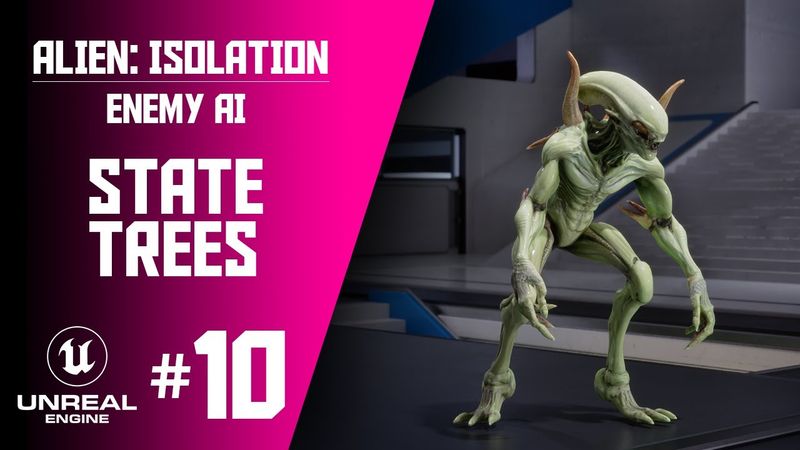
Part 10 - Adding Gameplay Environment, First Person Perspective, Skeletal Mesh & Animations.

معلومات تحميل وتفاصيل الفيديو Part 10 - Adding Gameplay Environment, First Person Perspective, Skeletal Mesh & Animations.
المؤلف:
Metaxis Gamesتاريخ النشر:
27/9/2025المشاهدات:
3.5Kالوصف:
In this lesson we'll be adding a pre‑made gameplay environment that I've modified from the Lyra Project, as well as covering how to use the new Gameplay Camera Director plugin to transition between first‑person and third‑person perspectives, and adding in a Skeletal Mesh + Animations for our Alien Character. The lesson also includes setting up a first‑person gameplay camera, transitioning to a third‑person view, configuring skeletal mesh LODs and Nanite, creating an alien skeletal mesh and animation blueprint, adding a navigation mesh, testing locomotion, addressing camera jitter, reducing foot sliding with blend space analysis, and updating the alien's default motivation. 00:00 - Intro 01:15 - Lesson Start & migrating assets 02:45 - Fixing a bug from previous lesson 03:20 - Tour of free assets 08:10 - Setting up First Person Gameplay Camera 22:24 - Transition to Third Person Gameplay Camera 34:40 - Skeletal Mesh LODs (Option 1) 37:35 - Skeletal Mesh Nanite (Option 2) 39:10 - Alien Skeletal Mesh & Animation Blueprint 49:20 - Alien Locomotion 01:00:00 - Add Nav Mesh and Testing Locomotion 01:02:00 - Fixing Camera Jitter with First Person Perspective 01:03:35 - Minimising Foot-sliding using Blend Space Analysis 01:09:49 - Updating Alien's Default Motivation 01:10:13 - Summary & Outro
فيديوهات مشابهة: Adding Gameplay Environment

Part 9 - Set Heightened Senses and Look At Player Animation

Part 5: Sight Perception And Attack Behaviour. | "Alien: Isolation" Smart AI in UE5
Part 7: Prediction Sense | "Alien: Isolation" Smart AI in UE5
Part 8: Multiple Vision Cones in UE5 | "Alien: Isolation" Smart AI in UE5
Rigid Body Physics for Beginners (Blender Tutorial)

