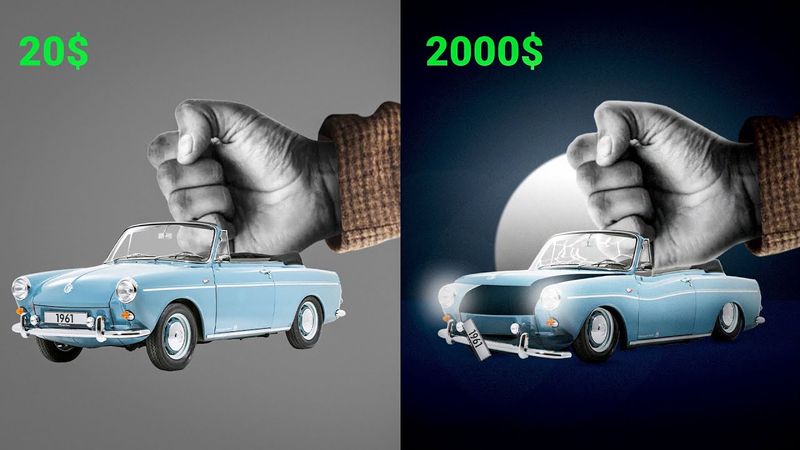
This Is What Makes Your Animation Look Expensive

Información de descarga y detalles del video This Is What Makes Your Animation Look Expensive
Autor:
ilkinPublicado el:
20/12/2025Vistas:
13.5KDescripción:
In this After Effects tutorial, I show the collage animation workflow that makes animation feel premium. You’ll learn how to prepare assets in Photoshop, separate layers correctly, add depth with shadows, build clean control structures, and plan motion before animating. What you’ll learn in this video: – Collage animation workflow from Photoshop to After Effects – How to cut and prepare layers for clean animation – Making flat designs feel 3D using shadows and highlights – Composition techniques that improve readability – Building proper control systems with null objects – Planning motion before animating – Creating realistic impact using easing and motion graphs – Using overshoot, timing, and reaction to sell weight – Turning animation into a visual storytelling 🔥 Become a Member: ✨ Download Project File: Thank you! #CollageAnimation #AfterEffects #MotionDesign
Videos similares: This Is What Makes Your Animation Look Expensive
Advanced Animated Gradients Tutorial | After Effects
Advanced MOTION GRAPHICS in after effects | Full Workflow
3D Gradient Cubes Animation in After Effects | After Effects Tutorial
How to Animate an Urban Rain Painting in Adobe After Effects | FREE COURSE

Easy Vector Map Animation Tutorial | Vox & Johnny Harris Style in After Effects