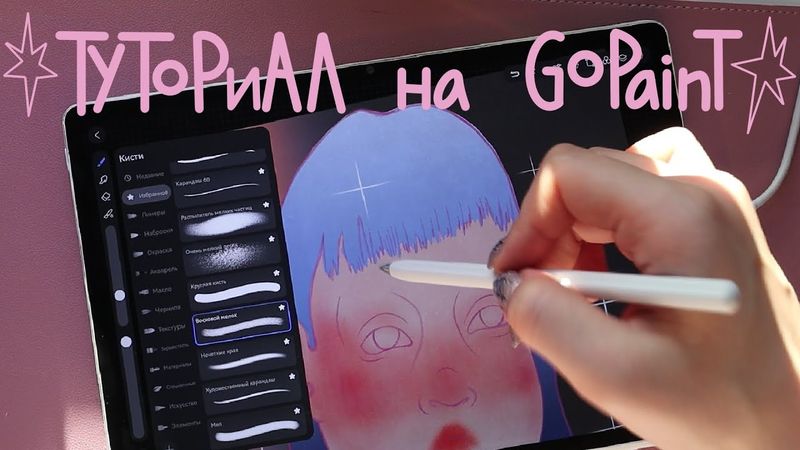
Обзор для художников на Huawei MatePad 12X и Туториал на GoPaint

Обзор для художников на Huawei MatePad 12X и Туториал на GoPaint38:43

اطلاعات دانلود و جزئیات ویدیوی Обзор для художников на Huawei MatePad 12X и Туториал на GoPaint
آپلود کننده:

Aria Vilch

تاریخ انتشار:

۱۴۰۴/۲/۲۰

بازدیدها:

13K

توضیحات:

This video provides a detailed review and tutorial for artists on the Huawei MatePad 12X, focusing on the GoPaint app. From project organization and the Huawei store, to creating new projects, brush tools, blending techniques, eraser, watercolor effects, brush sizing and opacity, undo/redo, image import and stretching, export and sharing, reference use, guides, time‑lapse, canvas flipping and copying, canvas settings, stylus preferences, transform tools, filters, layer management—including adding, hiding, locking, and adjusting opacity—along with line creation, three color‑fill methods, masking, a personal softening technique, color correction, custom palettes, gradients, textures, and crisp shape creation. Timeline: 00:00 Intro; 01:52 Project grouping; 03:14 Un‑grouping; 03:50 Huawei store; 04:27 New project; 05:55 Brushes; 06:40 Blending; 07:26 Eraser; 07:32 Watercolor add; 08:00 Brush size/opacity; 08:41 Undo/Redo; 09:12 Image import; 09:21 Stretch modes; 10:30 Export/send; 10:49 Reference; 11:13 Guides; 13:47 Time‑lapse; 14:21 Canvas flip; 14:33 Copy canvas; 15:13 Canvas settings; 15:44 Stylus prefs; 17:01 Transform; 17:09 Filters; 17:17 Layer settings; 17:34 New layer; 17:39 Layer opacity; 18:02 Line; 18-46 Hide layer; 19:14 Lock layer; 19:52 Fill methods; 24:16 Mask; 26:09 Personal softening; 26:51 Color correction; 27:45 Custom palette; 30:36 Gradient; 33:07 Textures; 35:24 Shape lines; 37:37 Outro.