Sculpt Realistic Straps and Bandages in ZBrush

Sculpt Realistic Straps and Bandages in ZBrush32:54

اطلاعات دانلود و جزئیات ویدیوی Sculpt Realistic Straps and Bandages in ZBrush
آپلود کننده:

Pablo Muñoz Gómez

تاریخ انتشار:

۱۴۰۴/۸/۹

بازدیدها:

4K

توضیحات:

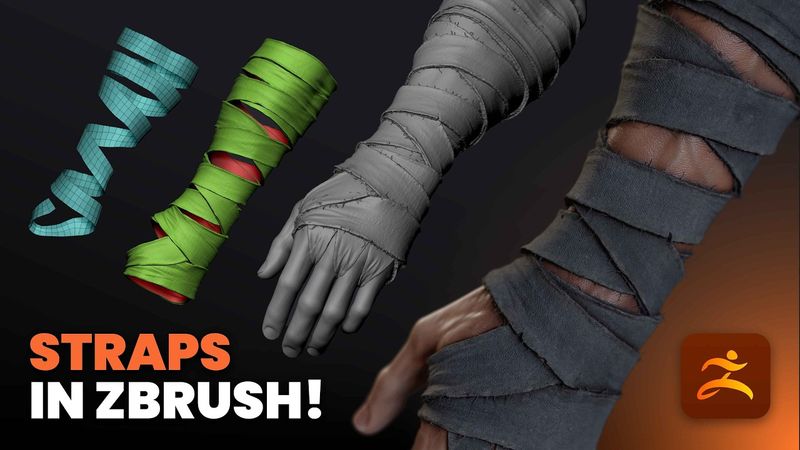
In this video, I’m going to show you a practical and slightly different technique for sculpting bandages or fabric wraps in ZBrush. There are plenty of ways to approach this… the most common one being to use the Slice Curve brush to cut clean strips and then use ZRemesher to tidy things up. That works great for stylised or clean designs, but in this video, I want to focus on a more natural and realistic result. We’ll use the Extract function to quickly generate the base mesh for the wraps, then refine it using ZModeler, ZRemesher, and Dynamic Subdivisions to give the bandages a more convincing connection to the underlying form. The idea is to make them feel like they’re actually wrapping around and interacting with the surface beneath, not just sitting on top. It’s a simple workflow but really effective when you want to add believable detail and volume to your character sculpts without relying on textures or external maps. 00:00 - Intro 00:58 - The PolyGroop Method 05:15 - The PolyGroop Alternative Method 07:25 - The Loop Around Technique 12:10 - Refining the Straps 14:48 - Bridging the Straps 16:25 - Adding and Adjusting the Thickness 17:40 - Adjusting the Continuity of the Strap 19:00 - Adding Width 21:45 - Adding Folds 25:38 - UVs and Alphas 27:48 - Crating Damaged Edges 29:38 - Adding Flyaways on the Edges 32:30 - Outro