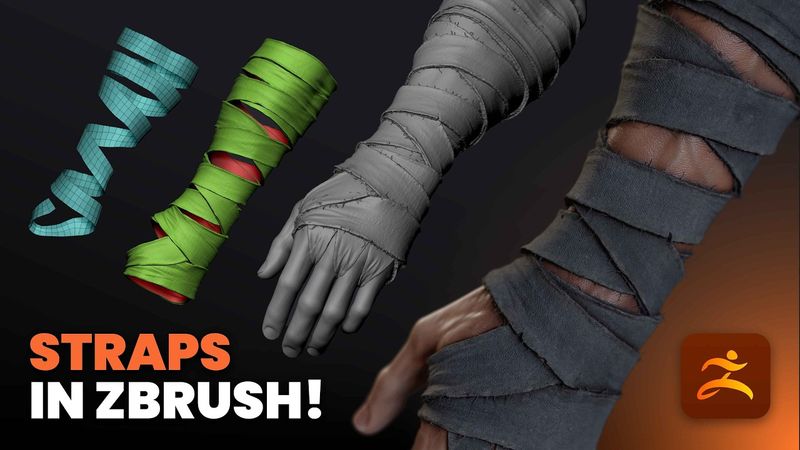
Pahat Tali dan Perban Realistis di ZBrush

Pahat Tali dan Perban Realistis di ZBrush32:54

Informasi unduhan dan detail video Pahat Tali dan Perban Realistis di ZBrush
Pengunggah:

Pablo Muñoz Gómez

Diterbitkan pada:

31/10/2025

Penayangan:

4K

Deskripsi:

In this video, I demonstrate a practical and slightly unconventional technique for sculpting bandages or wrap cloth in ZBrush. The most common approach is to use the Slice Curve brush to cut clean strips and then use ZRemesher to tidy them up. This technique is great for clean or stylized designs, but in this tutorial I focus on achieving a more natural and realistic look. I use the Extract function to quickly generate a base mesh for the wrap cloth, then refine it with ZModeler, ZRemesher, and Dynamic Subdivisions so the bandage has a convincing connection to its underlying shape. The goal is to make it feel like it truly wraps and interacts with the surface beneath, not just sits on top. The workflow is simple yet highly effective when you want to add realistic detail and volume to your character sculpt without relying on external textures or maps. 00:00 - Intro 00:58 - Metode PolyGroop 05:15 - Metode Alternatif PolyGroop 07:25 - Teknik Loop Around 12:10 - Memperbaiki Tali 14:48 - Menjembatani Tali 16:25 - Menambah dan Menyesuaikan Ketebalan 17:40 - Menyesuaikan Kontinuitas Tali 19:00 - Menambah Lebar 21:45 - Menambahkan Lipatan 25:38 - UV dan Alpha 27:48 - Memperbaiki Tepi yang Rusak 29:38 - Menambahkan Serat yang Berterbangan di Tepi 32:30 - Outro