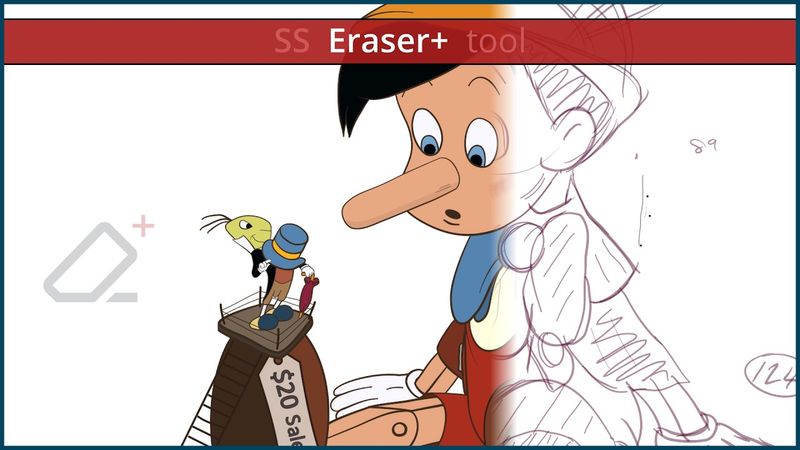
How to Trim vector lines and Cleanup line-art in Moho Pro with the new SS Eraser+ addon tool

How to Trim vector lines and Cleanup line-art in Moho Pro with the new SS Eraser+ addon tool04:04

Informazioni sul download e dettagli del video How to Trim vector lines and Cleanup line-art in Moho Pro with the new SS Eraser+ addon tool
Autore:

SimplSam

Pubblicato il:

01/01/2025

Visualizzazioni:

2.1K

Descrizione:

The SS Eraser+ addon tool allows users to trim and/or hide vector lines and outlines while using the eraser function. It is an enhancement to the built‑in eraser, developed to improve the process of cleaning up freehand artwork and to assist when creating unique visuals and shape structures. The tool reintroduces a feature similar to the Trim ends function that you may have seen in previous versions of Moho, with the added benefit of allowing you to use the function at any time, on any part of any vector stroke or shape outline. The new feature also conveniently works with the eraser in the Freehand tool (when the Control key is pressed) and with pen tablets that have erase functions. Moho Pro is powerful 2D animation software that combines the most powerful animation technology with state‑of‑the‑art professional animation tools. Everything can be animated: curvature, linewidth, exposure, curve profiles, paths, masks, gradients, opacity, point colors… Moho’s flexible tools will empower you to animate any style! 00:00 - Intro 00:43 - Erase mode 00:54 - Erase + Hide mode 01:16 - Trim mode 01:36 - Trim + Hide mode 01:53 - Trim + Weld mode 02:19 - Bah Humbug demo 02:42 - Lazy Inking (Pinocchio™ demo) 02:56 - Lineart Cleanup (Pinocchio™ demo) 03:16 - Coloring (Pinocchio™ demo) 03:36 - Outro