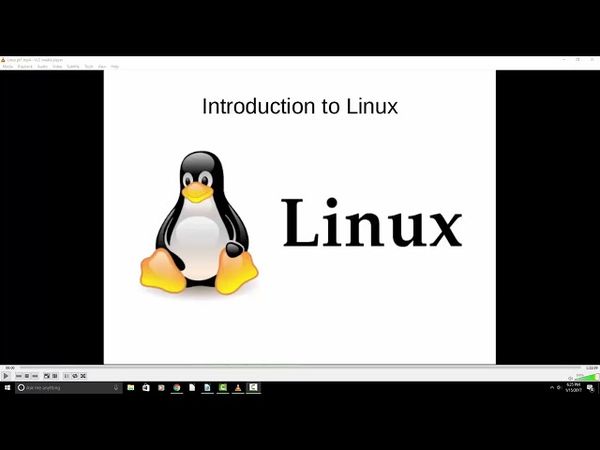
The Complete Linux Course: Beginner to Power User!

Informazioni sul download e dettagli del video The Complete Linux Course: Beginner to Power User!
Autore:
Joseph DelgadilloPubblicato il:
17/01/2017Visualizzazioni:
3.9MDescrizione:
Starting at 00:00, the course introduces Linux fundamentals, then at 08:44 it explains various Linux distributions. At 15:56 the instructor demonstrates how to install VirtualBox and set up a virtual machine, followed by installing Ubuntu on that machine at 23:47. The next section at 36:26 covers disabling the ISO and first boot up, and at 38:40 the VirtualBox guest additions are installed for a better user experience. At 46:14 the course shows how to customize the Ubuntu desktop, and at 54:41 it explores the Unity Tweak Tool. At 1:06:48 the instructor explains how to install Ubuntu alongside Windows for dual boot. The following segments cover Linux command line essentials at 1:23:09, administrative privileges in the terminal at 1:36:17, and using the package manager (apt‑get) to install new applications at 1:42:14. At 1:46:17 the course demonstrates searching through repositories to find new apps, and at 1:48:23 it shows how to install packages that are not in the repository. At 1:53:09 the instructor explains how to keep programs updated in Linux, and at 1:57:48 file permissions and ownership are covered. At 2:10:26 the course teaches how to create files using the command line interface, followed by creating new directories and moving files at 2:15:24, copying, renaming, and removing files at 2:19:59, and using the FIND command at 2:24:43. At 2:36:10 the GREP command is explained, and at 2:39:10 the instructor shows how to use GREP in conjunction with FIND. At 2:42:26 the course covers redirecting the output of a command, and at 2:45:42 the TOP command and its uses are discussed. At 2:47:01 the instructor explains how to view the entire list of processes and close applications, and at 2:52:36 services are explained. At 2:54:44 the course covers configuring services using the command line, and at 2:59:20 it introduces CRONTABS to schedule tasks. At 3:04:56 the instructor discusses choosing an integrated development environment (IDE), followed by installing Eclipse at 3:08:29 and PyCharm at 3:12:26. At 3:18:51 the course introduces GitHub, installation, and repository setup, and at 3:23:06 it explains how to push/pull information from a repository. At 3:29:13 the instructor shows how to remove/ignore directories in the repository, and at 3:34:25 it covers resolving merge conflicts through the terminal. At 3:41:42 the course explains how to set up and manage branches, and at 3:49:37 it covers Meteor installation and setup. At 3:55:32 the instructor demonstrates Meteor project setup, and at 4:01:06 router setup with React components. At 4:13:31 the course moves into programming, and at 4:26:46 it shows how to render blog posts. At 4:42:06 the instructor explains Apache 2, PHP 5, and MySQL setup, and at 4:45:36 server configuration is covered. At 4:51:14 the course explains Linux hosts file, and at 4:54:40 it shows how to deploy a Meteor app to an Apache 2 server. At 5:00:03 the instructor introduces MongoDB NoSQL database, and at 5:05:21 virtual host setup is discussed. At 5:16:46 phpMyAdmin setup is shown, and at 5:24:50 the course demonstrates creating a basic virtual host. At 5:33:00 the instructor installs WordPress on top of the Apache 2 environment, and at 5:40:25 database setup is covered. At 5:46:48 the course explains Python installation and CLI, and at 5:57:35 adding/removing users through GUI. At 6:01:09 adding/removing users through CLI is shown, and at 6:06:55 adding users to a group is covered. At 6:10:51 the instructor introduces networking, and at 6:17:41 local area network (LAN) is explained. At 6:25:08 networking commands are covered, and at 6:35:40 the NETSTAT command is explained. At 6:40:39 Linux host file is discussed, and at 6:49:59 traceroute commands are shown. At 6:53:57 network mapping is explained, and at 7:08:29 the course covers using SSH to access the command line of a remote host. At 7:11:06 using SFTP to transfer files between machines is demonstrated, and at 7:14:43 setting up SSH on the local machine is covered. Finally, at 7:20:10 the instructor explains the MAN command.
Video simili: The Complete Linux Course
How To Install Arch Linux in VirtualBox (2023) | Arch Linux Installation
Docker Tutorial for Beginners

Linux Crash course EP3 | دوره آموزشی آشنایی با لینوکس (دستورهای پرکاربرد، کار با فایل ، نصب برنامه)
دوره جامع آموزش لینوکس از صفر تا پیشرفته فقط در ۴ ساعت (مقدماتی تا حرفهای)
Linux+ (XK0-005 - 2024) Command Line Labs Pt.1 | Linux+ Training