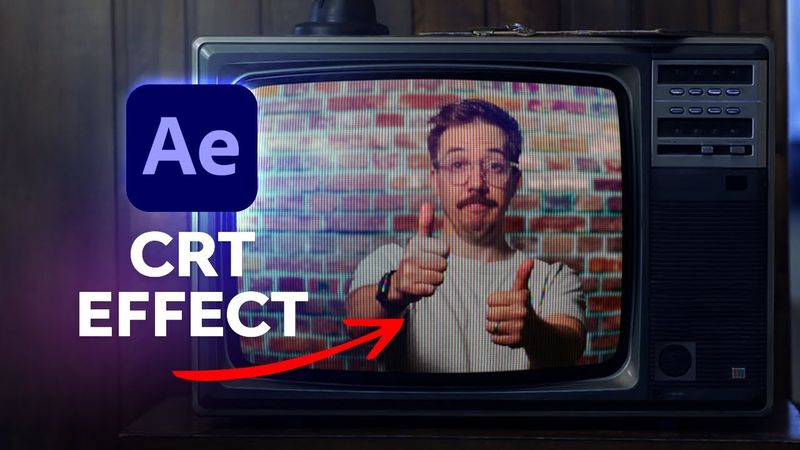
CRT Effect in After Effects

CRT Effect in After Effects için indirme bilgileri ve video detayları
Yükleyen:
Envato Tuts+Yayınlanma tarihi:
05/08/2022Görüntülenme:
110.9KAçıklama:
Want to get that retro VHS look? Learn how to create a CRT TV Effect from scratch in After Effects and learn how to make VHS tape effects as well. Don't have time to create these looks from scratch? That's OK—check out the video because Tom will show you the quick and easy way to get a CRT and VHS overlay for your video that you can use in After Effects, Premiere Pro, Final Cut Pro, and DaVinci Resolve! The video covers an overview of the technique, a quick overlay method, and step‑by‑step instructions for creating CRT and VHS looks from scratch, including building the CRT screen with shape layers, creating RGB phosphor dots, arranging a grid array of RGB pixels, separating RGB channels for footage, and combining VHS tape footage with the CRT effect. It also demonstrates compositing the CRT and VHS effect onto real footage of a TV screen, culminating in the final result. 0:00 Let's remake this intro! 1:19 Overview of the technique 1:42 CRT and VHS overlay quick technique 3:26 Creating CRT and VHS looks from scratch 3:58 Building the CRT screen using shape layers 4:46 Creating RGB phosphor dots, or pixels 6:32 Creating a grid array of the RGB pixels for the CRT screen effect 7:54 Creating the footage layer 8:41 Separating the RGB channels for our footage 13:54 Create VHS effects from scratch 15:09 Using effects and presets in After Effects to make a VHS tape look 15:26 Combining our VHS tape footage with our CRT effect in After Effects 28:32 Compositing our CRT and VHS effect onto real footage of a TV screen 31:36 The final result!
Benzer videolar: CRT Effect in After Effects
Make a Wiggle Effect in After Effects
Como dominar a câmera 3D no After Effects | Guia completo
Premiere Pro Reels Editing Breakdown 🔥 Learn Viral Animation + Captions + Effects in 1 Hour!
Como criar um efeito de impacto no Premiere Pro
Transição de linha de tempo 3D (tutorial do After Effects)