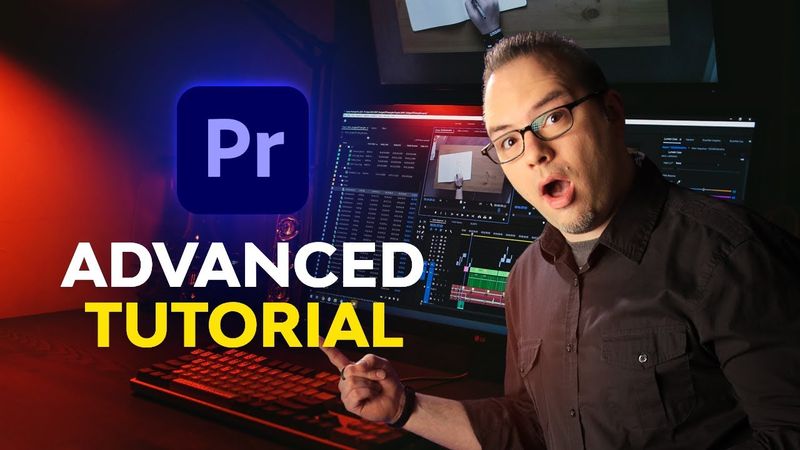
Advanced Premiere Pro for Everyone | FREE COURSE

Информация о загрузке и деталях видео Advanced Premiere Pro for Everyone | FREE COURSE
Автор:
Envato Tuts+Дата публикации:
25.01.2022Просмотров:
1.5MОписание:
Ready to pick up some advanced Premiere Pro skills? Watch this free three-hour course with Dave Bode. This advanced course takes things to the next level. You'll learn about source patching, track targeting, three-point and four-point edits, speed ramps, advanced audio editing, and a whole lot more. Check out the list of lessons below to see exactly what's included. 00:00:00 1.1 Introduction 00:02:22 2.1 Source Patching and Track Targeting 00:14:05 2.2 Track Lock and Sync Lock 00:20:49 2.3 Three-Point and Four-Point Edits 00:26:24 2.4 Dynamic Trimming 00:34:30 2.5 Automate to Sequence 00:37:40 2.6 Slow Motion 00:51:38 2.7 Speed Ramps 00:58:40 2.8 Scene Edit Detection 01:02:14 3.1 Raw Footage 01:10:58 3.2 Log Footage and LUTs 01:22:15 3.3 Using Colorchecker Cards 01:33:50 3.4 Shot Matching for Color, Part 1 01:44:30 3.5 Shot Matching for Color, Part 2 01:49:47 4.1 Fixing Audio Drift 01:59:30 4.2 Merge Clip 02:04:55 4.3 Multiple Compressors 02:16:05 4.4 Master Bus Effects 02:30:50 4.5 Loudness Normalization on Export 02:41:36 5.1 Using Multiple Monitors With Premiere 02:48:50 5.2 Third Party Video Effects 02:59:42 5.3 MOGRTS 03:11:31 5.4 Post-Production Camera Moves 03:20:57 5.5 Creative Edits: Multi-Box 03:33:44 5.6 Creative Edits: Music Markers 03:44:22 6.1 The Wrap-Up
Похожие видео: Advanced Premiere Pro for Everyone
Remove Green Screen in Premiere Pro | EASY!
Viral Caption Animation Tutorial in Premiere Pro | Instagram Reels 2026

MINOR Chords with INVERSIONS 🔄 around the Circle of Fifths over a Salsa Rhythm (Part 2)
Основы карикатуры от начала до конца

How to Automatically Edit Music Videos using this AI Plugin... | Premiere Pro Tutorial