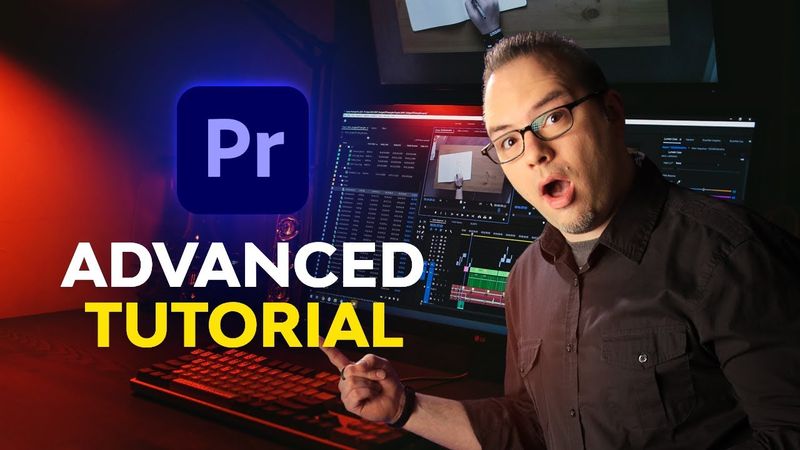
Advanced Premiere Pro for Everyone | FREE COURSE

Advanced Premiere Pro for Everyone | FREE COURSE Videosu İçin İndirme Bilgileri ve Detaylar
Yükleyen:
Envato Tuts+Yayınlanma Tarihi:
25.01.2022Görüntülenme:
1.5MAçıklama:
Ready to pick up some advanced Premiere Pro skills? Watch this free three-hour course with Dave Bode. ► The broadest range of asset categories, all in one place: ► If you haven't yet, watch our amazing beginners course, Intro to Video Editing in Adobe Premiere Pro: ► Wondering How to Edit Audio for Video in Premiere? Check out our brand new, 5-hour free course: ► Learn more Premiere Pro with our free course, Ultimate Premiere Pro FAQ: This advanced course takes things to the next level. You'll learn about source patching, track targeting, three-point and four-point edits, speed ramps, advanced audio editing, and a whole lot more. Check out the list of lessons below to see exactly what's included. Download all the Premiere Pro templates and other resources used in the course here: • Collection of Assets Used in This Course: • BRAW Example Clips From Black Magic Design: • RED RAW example footage from Red Camera: • Fircomp: • Limiter No.6 Plugin: Here's what the course covers: Chapter 1: Introduction 00:00:00 1.1 Introduction Chapter 2: Advanced Editing 00:02:22 2.1 Source Patching and Track Targeting 00:14:05 2.2 Track Lock and Sync Lock 00:20:49 2.3 Three-Point and Four-Point Edits 00:26:24 2.4 Dynamic Trimming 00:34:30 2.5 Automate to Sequence 00:37:40 2.6 Slow Motion 00:51:38 2.7 Speed Ramps 00:58:40 2.8 Scene Edit Detection 3 Raw, Log, and Color 01:02:14 3.1 Raw Footage 01:10:58 3.2 Log Footage and LUTs 01:22:15 3.3 Using Colorchecker Cards 01:33:50 3.4 Shot Matching for Color, Part 1 01:44:30 3.5 Shot Matching for Color, Part 2 4 Audio Editing 01:49:47 4.1 Fixing Audio Drift 01:59:30 4.2 Merge Clip 02:04:55 4.3 Multiple Compressors 02:16:05 4.4 Master Bus Effects 02:30:50 4.5 Loudness Normalization on Export 5 Edit Enhancers 02:41:36 5.1 Using Multiple Monitors With Premiere 02:48:50 5.2 Third Party Video Effects 02:59:42 5.3 MOGRTS 03:11:31 5.4 Post-Production Camera Moves 03:20:57 5.5 Creative Edits: Multi-Box 03:33:44 5.6 Creative Edits: Music Markers 6 Conclusion 03:44:22 6.1 The Wrap-Up ► Read more on Envato Tuts+: ► Download Unlimited Stock Photos, Fonts & Templates with Envato Elements: - - - - - - - - - - - - - - - - - - - - - - - - - - - - - - - - - - - - - - - Envato Tuts+ Discover free how-to tutorials and online courses. Design a logo, create a website, build an app, or learn a new skill: Envato Elements All the creative assets you need under one subscription. Customize your project by adding unique photos, fonts, graphics, and themes. ► Download Unlimited Stock Photos, Fonts & Templates with Envato Elements: ► Subscribe to Envato Tuts+ on YouTube: ► Follow Envato on X: ► Follow Envato on TikTok: ► Follow Envato on Instagram: ► Follow Envato on Facebook: ► Explore Envato's full stack of AI tools, all included in your subscription: - - - - - - - - - - - - - - - - - - - - - - - - - - - - - - - - - - - - - - -
Benzer Videolar: Advanced Premiere Pro for Everyone
Remove Green Screen in Premiere Pro | EASY!
Viral Caption Animation Tutorial in Premiere Pro | Instagram Reels 2026

MINOR Chords with INVERSIONS 🔄 around the Circle of Fifths over a Salsa Rhythm (Part 2)
Caricature Essentials From Start to Finish

How to Automatically Edit Music Videos using this AI Plugin... | Premiere Pro Tutorial