NOTHING Headphone (1) – How to Check If Your Device Is Charging
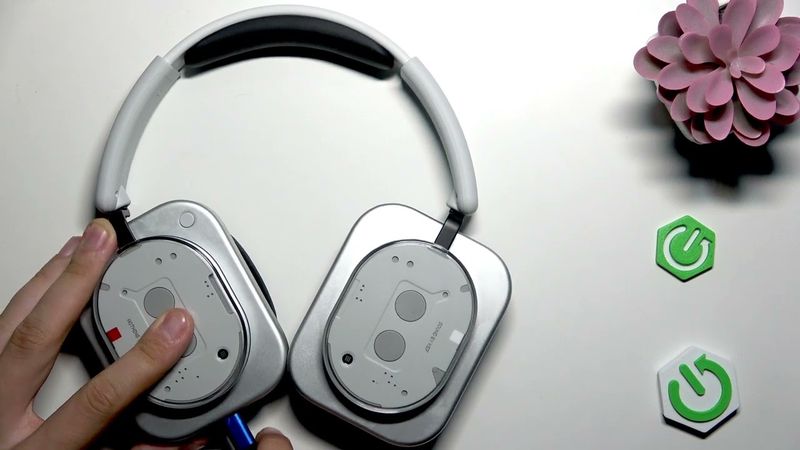
NOTHING Headphone (1) – How to Check If Your Device Is Charging Videosu İçin İndirme Bilgileri ve Detaylar
Yükleyen:
HardReset.InfoYayınlanma Tarihi:
22.07.2025Görüntülenme:
92Açıklama:
If you want to know how to check if your NOTHING Headphone (1) is charging, this video will show you the simple steps to confirm the charging status. We demonstrate how to connect your headphones to the charger and what LED indicators to look for, so you can be sure your NOTHING Headphone (1) is charging correctly. Whether you just got your headphones or want to make sure they are working properly, this guide will help you easily identify the charging process using the built-in LED lights. Stay confident that your NOTHING Headphone (1) is powered up and ready to use. 0:00 Introduction 0:12 Plugging in the charging cable 0:23 Turning off headphones for LED check 0:31 Checking the LED indicator 0:45 What the blinking LED means
Benzer Videolar: NOTHING Headphone

ASMR Scalp Check with Bad Results (Lice Check, Scalp Treatment, Scalp Massage) Medical Roleplay
Glitterfied! Glitter Overload with Full Box of Fresh Gym Chalk Blocks Crush | 3 of 8

A BLOODY BIG January Nintendo Switch 1 & 2 Eshop Sale!

How To Make Your Home Stand Out With Staging Tips - Before And After Pics
Lenovo S110 Wi-Fi Card Replacement | Connection Problem Fix Tutorial