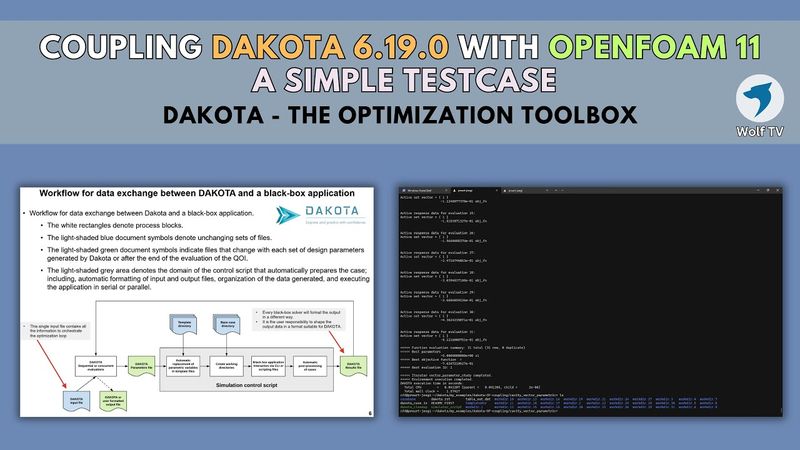
0. Coupling DAKOTA 6.19.0 with OpenFOAM 11 | A simple CFD optimization test case

Download information and video details for 0. Coupling DAKOTA 6.19.0 with OpenFOAM 11 | A simple CFD optimization test case
Uploader:
Wolf Dynamics World - WDWPublished at:
4/2/2025Views:
634Description:
🫡 Short demo of how to couple DAKOTA with any black-box solver. In this case, we are using OpenFOAM 11 as a black-box solver and a lot of bash scripting. As a demo case we use the driven cavity validation case. 🤖 DAKOTA optimization toolbox In this demo case, we use the following tools: - Mesh generation: OpenFOAM 11. - Balck box solver: OpenFOAM 11. - Automatic post-processing: bash scripting and Python. - Plotting: Python. - Optimization and orchestrating tool: DAKOTA 6.19.0 00:00 Coupling DAKOTA 6.19.0 with OpenFOAM 11 02:45 Let's start - DAKOTA crash introduction 07:45 Workflow for data exchange between DAKOTA and a black-box application 08:45 Presentation of the test case 12:42 Let's run the case - Parametric case 28:17 Let's run the case - Gradient-based optimization case 39:30 Final remarks 40:21 Small philosophical reflection regarding AI/ML in CFD - Let me criticize the use and abuse of AI/ML in CFD - You can skip this part Compressed tutorial: - Driven cavity case Deck of slides: - DAKOTA crash intro Related playlists: - Transitioning to OpenFOAM 11 from OpenFOAM 10/9, - DAKOTA optimization toolbox | Explore and predict with confidence | Installation and getting started, - OpenFOAM in Windows Subsystem for Linux (WSL) | Wolf Dynamics WSL virtual machine Software links: - - - - - - - Additional links: - Excellent reference for optimization methods, - Mixed-Integer Parallel Efficient Global Optimization 👍 CFD optimization and automation. 👏 Engineering design optimization loop. ********************************************************************************** Wolʇ Dynamics, your reliable partner for CAE solutions, CAD and solid modeling → Meshing → Simulations → Automation and optimization → Post-processing → Data analytics and ML → Reporting Why Wolʇ Dynamics? Simply look at our banner - notice how the F appears backwards. Wolʇ Dynamics ↔ Flow Dynamics 😯+💣=🤯 **************************************************************************** 👉 Subscribe and hit the bell to see new videos or we will go back to OpenFOAM 3: 🖖 Join our channel to help us create more content. By joining our channel, you can also get access to perks: Follow us: Twitter → twitter.com/WolfDynamics LinkedIn → linkedin.com/company/wolf-dynamics **************************************************************************** Wolf Dynamics makes no warranty, express or implied, about the completeness, accuracy, reliability, suitability, or usefulness of the information disclosed in this training material. This training material is intended to provide general information only. Any reliance the final user place on this training material is therefore strictly at his/her own risk. Under no circumstances and under no legal theory shall Wolf Dynamics be liable for any loss, damage or injury, arising directly or indirectly from the use or misuse of the information contained in this training material. **************************************************************************** #optimization #CFD #CAE #aerospace #WSL #linux #dakotaopt #snappyhexmesh #openfoam #computationalfluiddynamics
Similar videos: Coupling DAKOTA

Package Your n8n Workflows Into Full Web Apps (Step-By-Step)

Flutter Course for Beginners – 37-hour Cross Platform App Development Tutorial
Part 7: Prediction Sense | "Alien: Isolation" Smart AI in UE5

4. DAKOTA-OpenFOAM optimization loop | Restarting cases and simulation failure capturing
![Python for Beginners – Full Course [Programming Tutorial]](https://videodownloadbot.com/images/video/6fc/1145wrxztijlkjup5tix512h8l7dax66_medium.jpeg)
Python for Beginners – Full Course [Programming Tutorial]