16 Filament Tips from Teacher Payout/Class Schedule Project
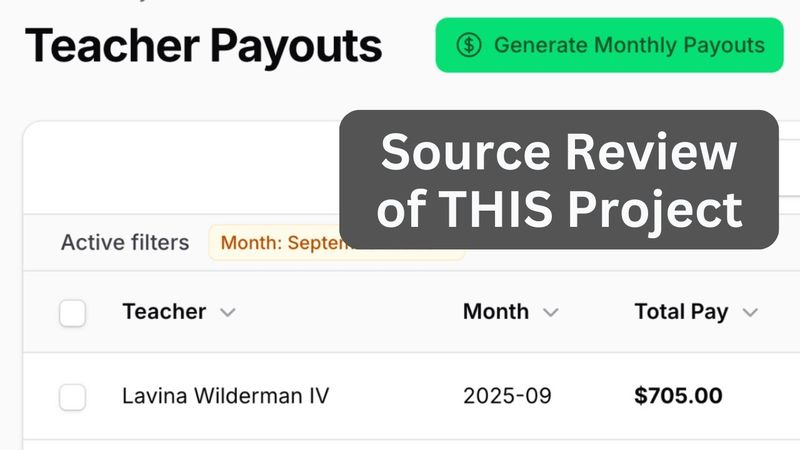
Download information and video details for 16 Filament Tips from Teacher Payout/Class Schedule Project
Uploader:
Filament DailyPublished at:
9/11/2025Views:
2KDescription:
Video Transcription
Hello guys!
In this video I will give you 16 random filament tips and functionality demonstrations based on one demo project we created recently on our filament examples.
This is a system to manage teacher payouts based on class schedules, enrollments of students, and courses.
So in this video, you will see random tips like combining two columns into one for time, like for example, grouping the data by row like this in the table, like for example, courses, attendance, custom page to manage the attendance in this way,
or in courses edit form down below there will be a relation manager to manage weekly schedules and how to generate the monthly schedule of classes based on that weekly schedule also this will be a custom select extending the default filament select component and many more if you want the full source code of this project this is on github and released on filament examples.com here it is the newest project with filament 4 and just this week we have a promotion of
School25 coupon code will give you 40% of yearly or lifetime membership to get all of those examples.
But now let's dive into this project.
I will show the functionality and along the way we'll share tip by tip by tip.
And also for most of those tips there will be links to the documentation of filament which will be in the description of this video.
This will be one of the longer videos on this channel because
It took a while to even create this project and also to explain it all.
Well, it's quite a lot.
So let's dive in.
Let's start with filament resource to manage users, which in our case are admins, owners of the business, and teachers all in one table, because they're all users.
And here I have a tip.
The first tip is
grouping the data.
So as you can see, there's role admin, there's role owner, and role teacher.
You can add something like this in the table, default group, and then any field, including relationship in this case, role name, and then you have this as a separate group, which you can actually use like this as well for bulk operations.
So if we don't have that default group, it would be a regular table.
Now the next tip is about pagination.
Look, here, let's refresh, we have 11 results in total for all users, and you don't see the pagination here at all.
And there are two actually ways to kind of disable the pagination.
If you have less than 100 records, for example, you can do something like this.
Specify pagination options as just one value, and set that value as default option.
Then at the bottom, you will not even see the drop-down of pagination options, because, well, there's only one option.
but you will still see the total amount of results.
Another option to disable pagination is to just do paginated false, and then if we do it this way, there will be a difference.
So again, you will not see the pagination options, but including you will not see the total number.
So this is the second tip how you disable the pagination.
Because by default, if you don't disable anything, the default pagination from what I remember is 10,
And then your users need to jump through the pages, although there are just a few dozens of records.
So yeah, my personal preference is this one default 100.
Next, we go to another menu item students and students in this case are not users of the system.
It's a separate database table students.
And this is a pretty simple table, except for what I want to show you this number enrolled courses.
So if you edit a student, you can choose with the checkboxes what courses they enroll into, and then the number of courses will be here in the table.
And this is the code for that.
Students table, text column, courses count, and then counts courses means
in the student model there's courses relationship belongs to many and then filament table would automatically count the well count of that relationship and show just the number with with count under the hood of eloquent avoiding m plus one query issue
Next, we go to another menu item of courses, where we can edit the course with general data about the course, so assign the teacher and assign students.
So this is the same relationship of enrollments, just from another side.
And we will stay on that courses page for quite a few tips, because we will need to take a look at weekly schedules, which is a relation manager, and also
we will take a look at attendance for that specific course for that specific month, which is based on weekly schedule.
But step by step.
First, let's take a look at the list of students in the course.
This is a checkbox list, which is another option to use many-to-many relationship, not just select with multiple actions.
But if you have roughly like 20 options or so, this has a better user experience to have them all on the same page with checkbox list.
And you can customize that checkbox list quite a bit with these options.
First, relationship to students.
And here you can provide custom query, for example, for ordering.
In this case, in the database, we have students with first name and last name.
And we need to show both an order by last name and then first name.
So this is kind of the trick.
You define relationship with students, this is a many-to-many, then this.
doesn't matter what you put in here any existing field because we will override it here get option label from records using it shows whatever fields you add from the record in this case we show first name and last name and then custom ordering is here
and also to avoid it taking too much vertical space we add two more things with columns four columns by default it is two so if we disable that this would be the result or in fact column one is the default in this case so columns four is this and then column span full adds that it's actually taking the full space otherwise it's just one of the column by default in the form we have two columns
If we add column span full, then it's much more usable.
In general, what I'm thinking more and more working with filament, one of our main tasks as developers is to become kind of UX professionals and designers to arrange everything on the page, in the table, and in the form in the most usable way for end users.
so these are the tips around checkbox list next we get to weekly schedules which is a relation manager in the database we have weekly schedules database table with course id as a relationship field with belongs to so this is kind of the skeleton of the schedule the time table if you will and then according to the time table we will generate the classes for a specific month so to have that editable here down below for example we can create
a schedule of Wednesday, start time 9 a.m. until 10.
For this course, there is another weekly schedule entry.
And you can edit those entries and delete them.
So this is a normal regular filament table just at the bottom of courses edit page.
So to set that up, we have get relations in the course resource file, which is weekly schedules relation manager.
Here you provide the relationship name of weekly schedules, which is the relation name in the course model, which is
This weekly schedules has many.
Next, if we take a look at that relation manager schema form, it's a regular filament form, so select for course, grid with select, and this is where we find another interesting tip, time select.
You can create your custom components.
So the thing is with creating the schedule, start time and end time, as you can see, they are in intervals of 30 minutes, starting with 7 am and ending at 23.30.
This is, I think, a better user experience than time pickers with whatever options they have.
And for that, I created timeSelect, which is a separate component that extends the select of filament, where I call parent make, but also override the options.
And this is getTimeOptions, the static function inside of the same component.
And I built the list of options as array in a good old for loop of PHP, or in fact, for inside of another for.
That separate component is also done for reusability, so right away we can reuse it twice instead of regular select, but also if we search for time select in all projects, we may find it in other files, which makes it even more reusable.
The next functionality we'll take a look at is courses, and then we have attendance.
But to understand attendance, we need to get to another menu item called classes, because attendance will be for specific class on a specific day.
And by the way, I'm shooting this video in a few days, so that's why the change of the outfit.
So anyway, we have classes on specific date and time for course according to the schedule.
And you also may assign a substitute teacher for a specific class.
So within the class you can also tick the attendance boxes here to save the changes, and then we have two students, and then teacher is paid for that lesson, for that specific class, and then the teacher payout is calculated for the month this way.
In this table what I want to show is time here.
So in the database we have the table called course classes with start time and end time like this, like regular time fields in the database.
so first how to make this into shorter format without seconds and then as one column also sortable so this is the code this is the course classes table and this is the text column you can call it whatever you want because time range is not the exact column from the database instead you get
getStateUsing, and then callback function with short notation, and then you do whatever here.
In this case, I thought it would be easier to play with just strings instead of carbon objects, and I returned the concatenation of that substrings.
and then this is interesting sortable in sortable you may provide a callback function what to sort by or in fact you may override the full query which is i guess the logical column to actually sort by here next i will show you a button called generate monthly schedules
So currently we have course classes in the database, 11 pages, until September 30th, and we can generate the classes according to schedule for, for example, October.
So you choose a month, October, you submit, and see what happens.
So submit,
and we have schedule generated successfully for October 2025.
And if we go to classes again, we should see more than 11 pages.
As you can see, there are 160 results.
So if we sort by date now, back we have October classes successfully generated.
Now how does it look in the code?
First, this button is a header action in the table, course classes table, and this is another tip, you can show or hide the action with just this condition, auth user is admin, which is a function inside of eloquent model, we then show that action, otherwise we return empty array for header actions, and in that action, it's pretty complicated, you can add label, color, icon, and
heading and description, and then in the schema, which will appear in the modal window, we have only one field, select, and options, this is another kind of tip, that your options may be very dynamic, so dynamic that you would create a separate service for that laravel service class.
which is actually bigger than just for this function, we get the options available months for generation from one function, where we check what months are already generated with schedules, otherwise that month wouldn't even appear in the drop-down,
and then with action we again we use the same schedule generation service so this is a pretty good example of laravel service class which you will reuse with multiple methods so there's a public method generate monthly schedules and then protected methods to check for something so generate from weekly pattern has schedules for a month and there should be another public function yep
this one get available months so two public functions get the available options and then generate that schedule for specific year and month and then some private or in this case protected methods and yeah with action we do try catch because it's a complicated scenario and anything may go wrong with dates so that's why try catch with generation failed with
error message but generally we call the same service generate schedules and do notification make showing what month it was generated for so the overall tip here is you can use laravel service inside of filament actions both for the action itself and also even for the options in the select field
And now as we have the classes generated, we can get to their attendance management.
And you saw already you can manage attendance here in the specific course class, but probably more convenient would be to have attendance for a month, for example.
So this is where courses come in and attendance custom page.
So this is the page with a table, a lot of checkboxes, list of students, list of classes for that specific month.
We can choose month of
October, we can choose month of November, which would be empty, because we haven't generated the schedule for that, so if we go to September, these are already passed and attended by a few students.
Now what tips can I show you from this page?
First, you can put custom link action to your URL in the table, so courses table, we have record actions,
and general action with URL with another course resource page.
And inside of that course resource list of pages, we have our custom page assigning the route of attendance.
And this is our custom page where we have interacts with forms and with records.
No interaction with table, we will have custom table in blade.
So we mount the data, the record and selected month and we have load attendance data.
This is kind of a tip that in filament resource or on filament page, you may have regular functions of PHP and Laravel, protected or private, so you can treat it as a live wire component, which actually it is, or even like Laravel controller.
So we get the attendance, also there's enroll students, which is a public function in this case, so sometimes it is public, sometimes it is private,
So a lot of functions inside of the same page.
So we're getting the students which should be in that column by their enrollments.
So this is to get the amount of rows.
Then course classes.
This is to get the columns.
So we have month start and month end.
And then where do we get the blade?
This is the get view, which probably should be just a view property inside of a function, but it actually is the same behavior.
So if I open that manage monthly attendance, this is a LiveWire blade in action.
Wire model selected month and update month is a function inside of that LiveWire component.
So if we scroll down, we have this update month, this redirect.
basically just changing the url parameter and the overall kind of tip here is that you can create custom live wire component with blade and inside have wire something and treat it as live wire but also reusing x filament blade components when possible and of course use regular blade with
if else so this is where we have the main form with wire submit for each classes for the first row then for each students and again for each classes and this is where we have wire model defer for each checkbox and then we have wire submit save where you have eloquent thing
So the overall message here is to customize filament with pretty custom stuff, you need to know not only filament, but Livewire and Laravel and Eloquent under the hood.
And also PHP with object-oriented programming to structure that with these custom functions.
So the result of that is the B transaction with attendance update or create or delete if attendance has changed.
For example, if we go to attendance here and untick the checkbox,
it's also saved in the database.
Now it's time for the last menu item we haven't discussed yet, is teacher payouts, which are calculated based on attendance of specific classes.
Logical, right?
And there is a button generate monthly payouts, visible for owners and admins, which is a custom action in the list, in the list page of list teacher payouts.
This is a header action, as I said, visible only for non-teacher users, this is the if statement,
and then action make with schema again we have schema what month to generate the payout for options again pretty dynamic and then we use another service another laravel service class called payout calculation service in this case it's for summary but the main action looks like this we generate the payouts for specific months
and then show success or failure notification.
How it works?
Generate monthly payouts, the drop-down of the month, and then we generate payouts, and this is the notification generated, eight payouts for eight teachers for a specific month, total pay based on the amount of classes, so each class is, from what I remember, $50, and then it depends on the attendance of students, what is on top,
like a bonus so yeah this is another example of the same tip that you can use laravel service classes to offload the logic from filament action to somewhere like generate payouts for the month is another database transaction with create teacher payout record
And then you can edit that payout, for example, mark as paid or change something as administrator.
Or there's also bulk action.
So for example, you can mark as paid for multiple teachers, confirm, and those are paid.
This is, by the way, called icon column.
So not sure if you've seen that.
In the teachers payout table, we can go and see icon column boolean, which means the check mark or the X mark.
and then that mark as paid as bulk action, or in filament 4 it's called toolbar action, mark as paid is just action with
records each update is paid and when exactly it was paid so this is how i create custom bulk action and then finally i can mention dashboard widgets so total payments made this month is calculated by again is paid but these are actually just regular filament widgets i'm not even sure what to show here there's no kind of tip or anything
it's app filament and then whatever is in widgets would be automatically on the dashboard so for example outstanding payouts overview is just three stat make widgets with some calculation inside here from the database nothing really fancy here
What I do want to show you though as the last thing is the teacher view.
So this is our list of users with Rollid3.
Let's log in as the first teacher with Rollid3.
So we sign out.
I was signed in as owner user and we sign in as a teacher.
And we see only two menu items.
Dashboard with just my widgets for my as a teacher data.
so for example the payouts here the classes this week and upcoming classes so this is one thing i see and then also i can take a look at the table of teacher payouts also looking at only my own payouts and i don't see other teachers payouts so a few things to show here first the menu items are automatically visible or invisible by policies so for example student policy view any
only for role owner and admin and all the others similarly.
So similarly policy for course policy, course classes and others.
So filament automatically takes policies for that and the method view any of policy is responsible for showing or hiding menu items.
But then here on the dashboard, for example, for any widget there is a function inside of the widget can view.
So outstanding payouts is for owners, but for example,
teacher payout history is only for teacher again with function can view and then everywhere we need the data we use teacher id auth id to get the data only from that teacher for example in the teacher payouts table in that resource of teacher payouts we have columns we have filters but also we have the query which is actually not in the table in a teacher payouts resource here should be here yep
get eloquent query so we override the parent query with is teacher then we query by the teacher this could be also eloquent global scope as alternative it depends on which level you put that where condition for specific record for all the resource or maybe globally for the full project for that database table it depends on the scenario and it may be your personal preference
So yeah, these were filament tips I wanted to show in this video.
Again, if you want the full source code of the project, it's on filamentexamples.com, the latest one.
And only this week, until September 14th, we have promotion School25.
Coupon code will give you 40% of yearly or lifetime membership of filamentexamples.com.
By purchasing that, you will support this YouTube channel, so I can continue shooting free videos with random filament tips and news.
That's it for this time, and see you guys in other videos.
Similar videos: Filament Tips from Teacher Payout
Build and Deploy a Full Stack React Admin Dashboard with Tables, Charts and Real Data

Fundamentals of Partnership Class 12 One Shot | Accounts Chapter 1 | Gaurav Jain

Compositing in After Effects - Advanced Explosions Tutorial!

Part 7: Prediction Sense | "Alien: Isolation" Smart AI in UE5
My System Engineer Wiki: Obsidian Bases + Dataview - Part 02