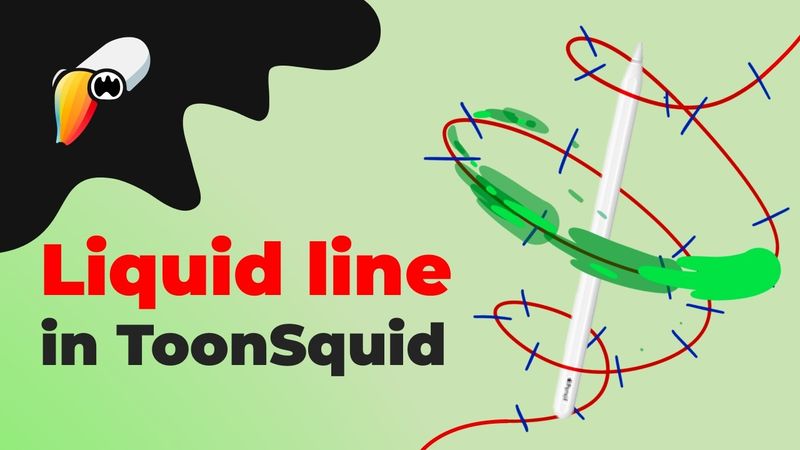
5 Easy Steps to Animate Liquid Line in ToonSquid

Download information and video details for 5 Easy Steps to Animate Liquid Line in ToonSquid
Uploader:
Shake my artPublished at:
6/9/2025Views:
1.3KDescription:
Ready to bring fluid motion to your animations? In this beginner-friendly tutorial, I’ll show you how to create a striking liquid line and ball effect from scratch using ToonSquid on your iPad. We’ll cover everything from setting up your guides and speed markers to drawing vector shapes, adding a trailing tail, and finishing off with dynamic splashes. What You’ll Learn: - Setting Up Guides & Timing: How to plan your animation’s path and speed markers for smooth motion. - Vector Shape Creation: Drawing the liquid ball and defining its initial shape. - Frame-by-Frame Tail & Splash Effects: Building a fluid tail and realistic droplets for that extra pop. - Animating Like a Pro: Tips for refining interpolation and easing to make your liquid move naturally. Who Is This For? Perfect for beginners who want to explore frame-by-frame techniques, as well as anyone looking to add dynamic liquid effects to their animations. How to Follow Along: - Pause & Practice at each step to master the guide setup. - Replay Sections on drawing the tail and splashes to nail the timing. - Experiment with colors and brush settings to make the effect your own. If you enjoy this tutorial, smash that Like button, leave a comment with your favorite liquid trick, and subscribe for more ToonSquid and iPad animation walkthroughs. Don’t forget to hit the bell 🔔 so you never miss a new video! Liquid ball in Procreate Liquid ball in Procreate Dreams _________ Timecodes: 0:00 Introduction 0:24 Create a file 0:33 1st step — Draw a path 1:05 2nd step — Create a marks 2:12 3rd step — Add ball 4:13 4th step — Create a tail 05:45 5th step — Animate splashes 07:19 Final preview _________ #ToonSquid, #LiquidAnimation, #FrameByFrame, #AnimationTutorial, #iPadAnimation, #DigitalArt, #MotionGraphics, #AnimationTips, #CreativeAnimation, #appreviewwala
Similar videos: Easy Steps to Animate Liquid Line in ToonSquid
Step-by-Step Character Animation: Blinking Eyes & Dynamic Glasses Gleam in Procreate Dreams!
How to Master 3D Camera in After Effects | Complete Breakdown
How to Create Animated Slideshow Transitions in After Effects | FREE COURSE

Create a Cinematic Blender Animation (with Compositing Tricks!) – Full Tutorial

How to Make Liquid Animation Titles in Adobe After Effects