Animated Formula 1 Poster in After Effects 🔥 Ferrari Style Motion Design Tutorial

Download information and video details for Animated Formula 1 Poster in After Effects 🔥 Ferrari Style Motion Design Tutorial
Uploader:
Seiji YūshinPublished at:
1/31/2026Views:
24Description:
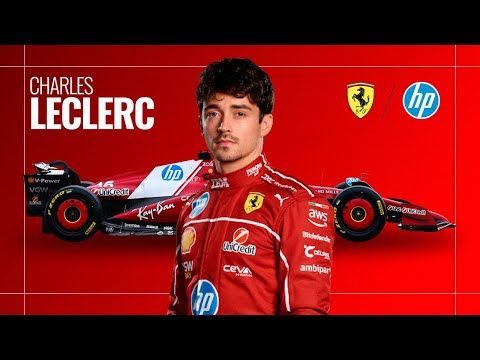
Create a cinematic Formula 1 animated poster in Adobe After Effects inspired by Ferrari and Charles Leclerc. In this step-by-step motion design tutorial, you’ll learn how to build a dynamic racing poster from scratch — including background design, typography, smooth animations, and cinematic camera movement. This tutorial is perfect for motion designers, sports designers, and anyone looking to improve their After Effects skills. ⏱️ Key Moments: 00:00 — Intro & Project Overview 00:35 — Building the Ferrari-Style Poster Background 03:20 — Animating the Car, Driver, and Text 06:40 — Camera Movement, Final Fixes & Cinematic Polish ✅ What you'll learn: • How to design a modern sports poster • Creating a Ferrari-style gradient background • Adding texture and graphic frames • Animating a Formula 1 car and driver • Using motion blur for realistic speed • Working with 3D layers and camera movement • Fixing common animation issues • Building a clean, professional layout 🎁 FREE Project File: Download it here → If you enjoy motion design tutorials like this, don’t forget to like and subscribe — it helps the channel grow and allows me to create more high-quality videos. You can also check out my ready-to-use After Effects projects on Gumroad to speed up your workflow. Thanks for watching!
Similar videos: Animated Formula

Create Clean & Minimal Animation in After Effects (Step by Step)
How to get PERFECT Speed Ramp Transitions in Premiere Pro 2025
How to make motion graphics animation in after effects

Alight Motion Documentary Edit: Article Highlight Effect Step-by-Step
From Raw to Viral Reels in 30 Minutes | Premiere Pro Tutorial for Beginners