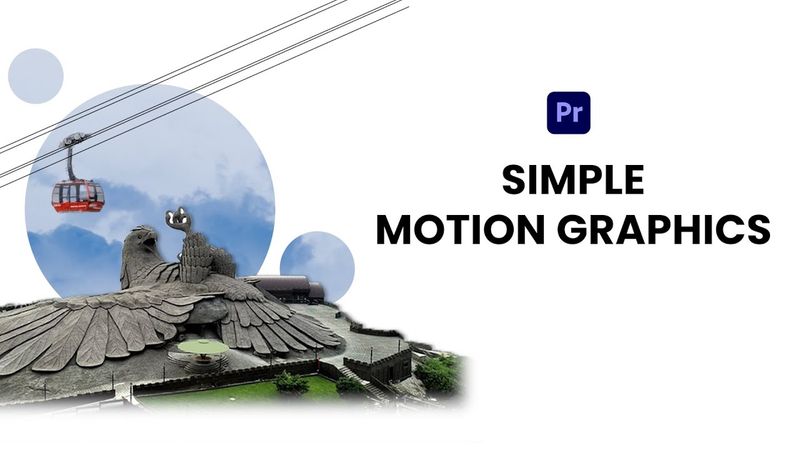
How to Create a Clean Motion Graphic Using Premiere Pro | Step-by-Step Tutorial

Download information and video details for How to Create a Clean Motion Graphic Using Premiere Pro | Step-by-Step Tutorial
Uploader:
AskikoPublished at:
6/17/2025Views:
351Description:
Want to learn how to make motion graphics using Premiere Pro — without After Effects? In this easy step-by-step tutorial, I’ll show you exactly how to create a clean, professional-looking motion graphic in Premiere Pro. ------------------------------------------------- My 2nd channel: Instagram: ------------------------------------------------- Mister horse plugin: ------------------------------------------------- ✅ What You’ll Learn: - How to set up a 1080x1920 vertical sequence - Using masks, drop shadows, and smooth animations - Creative tricks with Track Matte Key - Animating shapes and text with Bezier curves - Adding a cable car with custom cable lines ------------------------------------------------- 👇🏼CHECK OUT Simple Motion Graphics in Premiere Pro: Edit Short Form Videos Like A Pro: Animate Like Iman Gadzhi: ------------------------------------------------- If you have any suggestions regarding this video, please comment below. Thank you for watching. LIKE | SHARE | SUBSCRIBE #premierepro #motiongraphics #videoediting
Similar videos: How to Create a Clean Motion Graphic Using Premiere Pro
Create a Simple Plane Animation in After Effects

How to Make a Watercolor Brush in Adobe Illustrator

How to Make a Ramadan Greeting Animation in After Effects
How to Create a Stunning Newspaper Transition in After Effects | Full Tutorial + Free Project File!

How to Make a Lyric Video | Motion Graphics and Editing Tutorial