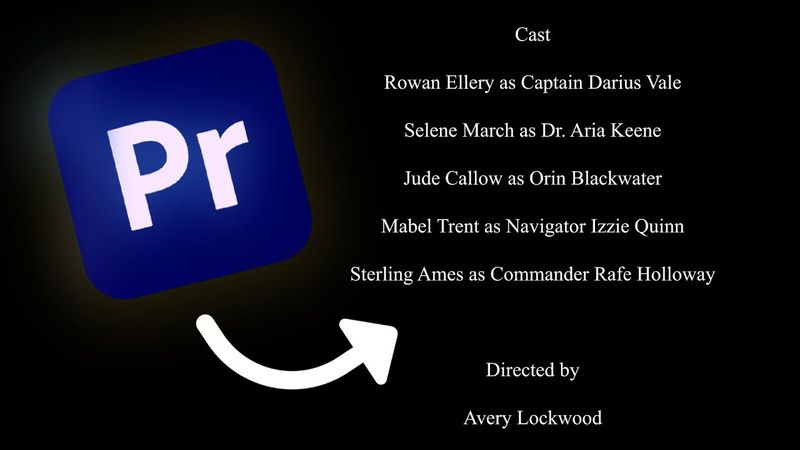
How To Make Rolling Credits In Premiere Pro

Download information and video details for How To Make Rolling Credits In Premiere Pro
Uploader:
John The Video GuyPublished at:
8/18/2025Views:
31Description:
Join My Editing Discord Server: My gear & essential filmmaking tools! 📸 Like My Content? 🤘 Consider Supporting Me On Patreon 🎉 Get EXCLUSIVE ACCESS To My Assets & Templates 😉 ABOUT VIDEO: In this short Premiere Pro video editing tutorial, I show you how to create cinematic rolling credits for your film project. I go over important controls and settings you need to keep in mind such as safety margins and pre-roll and animation easing. AFFILIATE NOTICE: I may earn from qualifying purchases through the links in this video description. That being said... Check out these AWESOME deals below! 😁 Try Artlist & Get Two Months FREE! 🎶 Get Audiio & Save 70% Off Your First Year! 🎧 Use Promo Code: SAVE70 Join Motion Array & Get 2 Months FREE! 🎁 Try Track Club & Get 2 Months FREE! 🎵 Looking For Unlimited Stock Creative Assets? 🎥 Try Envato Elements Today: Get The Film Look With Dehancer! 🎞 10% Off Promo Code: JOHNTHEVIDEOGUY Need Some Awesome Visual Effects? 💥 Check Out Visual FX Pro: 15% Off Coupon Code: JOHNVLACH New To Adobe Creative Cloud? 🎨 Start Your FREE Trial Today: Ever Wanted To Start Your Own Podcast? 🎙 Try Podbean Today: John The Video Guy is a video editor & videographer that works in the entertainment industry, creating videos and motion graphics for live events including corporate events, non-profit galas, and private parties. On this YouTube channel, he shares Premiere Pro & After Effects tips and tricks as well as many videos on various post production topics. Consider subscribing and joining our community focused on learning new ways to create AWESOME videos.
Similar videos: How To Make Rolling Credits In Premiere Pro
How To Create A Ticker Tape Text Animation In Premiere Pro

How To Make A New Sequence In Premiere Pro
How To Create Animation Presets In After Effects
BEST Premiere Pro Export Settings For Instagram Reels
6 Premiere Pro Tricks to Speed Up Your Editing (2025)