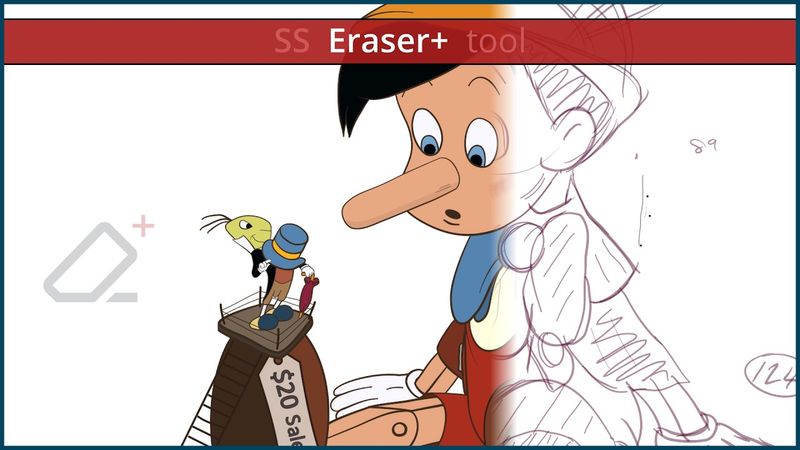
How to Trim vector lines and Cleanup line-art in Moho Pro with the new SS Eraser+ addon tool

How to Trim vector lines and Cleanup line-art in Moho Pro with the new SS Eraser+ addon tool04:04

Download information and video details for How to Trim vector lines and Cleanup line-art in Moho Pro with the new SS Eraser+ addon tool
Uploader:

SimplSam

Published at:

1/1/2025

Views:

2.1K

Description:

The SS Eraser+ addon tool allows users to Trim and/or Hide vector lines and outlines -- whilst using the Eraser function. The tool is an enhancement to the built‑in Eraser tool, and was developed to improve the process of cleaning‑up freehand artwork, and to assist when creating unique visuals and shape structures. Moho Pro is powerful 2D animation software that combines the most powerful animation technology with state‑of‑the‑art professional animation tools. Everything can be animated: curvature, linewidth, exposure, curve profiles, paths, masks, gradients, opacity, point colors… Moho’s flexible tools will empower you to animate any style! 00:00 - Intro 00:43 - Erase mode 00:54 - Erase + Hide mode 01:16 - Trim mode 01:36 - Trim + Hide mode 01:53 - Trim + Weld mode 02:19 - Bah Humbug demo 02:42 - Lazy Inking (Pinocchio™ demo) 02:56 - Lineart Cleanup (Pinocchio™ demo) 03:16 - Coloring (Pinocchio™ demo) 03:36 - Outro