Introducing ChatGPT Atlas

Download information and video details for Introducing ChatGPT Atlas
Uploader:
OpenAIPublished at:
10/21/2025Views:
1.1MDescription:
Video Transcription
Good morning.
Today we're going to launch ChatGPT Atlas, our new web browser.
This is an AI-powered web browser built around ChatGPT.
It's something we've been super excited about and working hard on for a long time and really excited to share with you today.
We think that AI represents like a rare once a decade opportunity to rethink what a browser can be about and how to use one and how to sort of most productively and pleasantly use the web.
Tabs were great, but we haven't seen a lot of browser innovation since then.
So we got very excited about the opportunity to really rethink what this could be.
And in the same way that for the previous way people used the internet, the URL bar of a browser and the search box were a great analog, the way that we hope people will use the internet in the future and that we're starting to see is that the chat experience and a web browser
can be a great analog.
So we got to work designing a browser based around this kind of experience.
The browser is already where a ton of work and sort of life happens.
And we think that by having ChatGPT be sort of a core way to help you use that, that you can chat with a page, you can use ChatGPT to find stuff, you can use an agent mode with ChatGPT in a browser.
way more stuff that we'll show you you can try out later, we can take this pretty far.
So we are excited to jump into a demo.
I have some colleagues here.
We'll start with Ben for introductions, and then we'll show you what we've got.
Great.
Thanks, Sam.
I'm Ben.
I lead engineering for Atlas.
So Atlas started with a question.
What if you could chat with your browser?
And from that idea, we reimagined the entire experience, replacing years of clutter and complexity with simple conversation.
We wanted to make sure that Atlas didn't feel like your old browser, just with a chat button that was bolted on.
But instead, we made ChatGPT the beating heart of Atlas.
It's always by your side and ready to help as you move across the web.
I find that when I use Atlas myself, I'm more curious.
I ask more questions.
I think it's made me, just like I said, a more curious, better informed person.
We also made sure that Atlas is fast and flexible enough to support some amazing new experiences that we'll show you shortly.
It's a new kind of browser for the next era of the web, and we can't wait to show you what it can do.
So Adam, do you want to take us through some of the features?
Yes, my name's Adam, product lead for Atlas.
And as Sam and Ben mentioned a little bit about why we built Atlas, I'm going to share a little bit about what Atlas is.
So first, Atlas should feel very familiar.
So it has all of your tabs, bookmarks, autofill for password, all the things you're used to.
And then there's three special core features of Atlas that Ryan's gonna walk you through in a bit.
The first is chat comes with you anywhere as you go on the web.
So no longer do you have to copy and paste between tabs when you're working on writing an email or a document.
As you have that website up, it'll just be right there for you if you invoke it, and it'll have context of what you're working on so it can be more helpful.
That's chat anywhere across the web.
The second big feature is browser memory.
And we talked a lot about this when we were building it, but memory is such a critical feature in ChatGPT that people and users love today.
And that's because as you use ChatGPT more, it just gets more personalized and helps you better and understands you much better.
Now that's gonna happen as you go on your browser across the web in Atlas.
And it just should be more personalized and more helpful to you.
And then the third, which we're really excited about, and Justin's gonna show this later, is Agent, which is in Atlas, ChatGPT now can take actions for you.
It can do things.
So it'll actually bring up a little cursor, start clicking around when you ask it to.
It can help you book reservations or flights or even just edit a document that you're working on.
We're really excited to share this with you.
So Ryan, our lead designer on the project, is going to show you a tour of Atlas.
Thanks, Adam.
All right, so I get to do the demo of the core flows in Atlas.
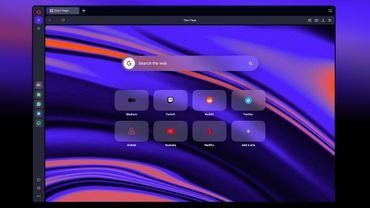
What you should see here is your home screen.
This is what you'll be presented with when you first download and open the app or any time you create a new tab.
We tried to create an experience here that will feel totally familiar coming from a traditional browser, but with all the power of ChatGPT baked in.
To that end, you'll see there's a composer in the center of the screen where you could ask chat a question like normal.
You can get to all of your tools, your models, and your sidebar with all of your chat history.
But because it's a browser, you can do more.
Type hacker news, chat's going to take me to the URL.
I could say, I could reference a bookmark in human language.
And it's going to open my commits for this Galaxy diff.
You can use browser memory to search your web history for something that you know you've seen before, but you don't know exactly where it is.
So let me say, search web history for a doc about Atlas core design.
No, I made this somewhere.
Searching your browser memories.
And there you go.
It looks like it found the doc I'm talking about.
It's in my Google Docs.
If I tap it, you'll see it all open there.
Let's jump back to the home page for one final feature.
So below the composer on Atlas, you'll see suggestions.
These suggestions are kind of the first version of personalization in Atlas.
It will be generated for you based on what Atlas understands about what you've been up to or might be trying to do next.
It can be as simple as a news story it thinks you might be interested in or as advanced as an agent task that's going to delegate for you and kind of click through your tabs.
The more you use Atlas, the better these suggestions get.
And again, it's very much a v0 personalization, but we're really excited to see where the home page of the browser goes as we delve deeper onto this.
OK, so that's the home screen.
Now I'm going to hop over to that GitHub example and show you my personal favorite feature.
So here I have some code I was working on this morning.
It's a shader for a little galaxy generator.
And in the top right,
There's this Ask ChatGPT button.
You'll see this on any website you visit.
And when you click it, it creates a companion sidebar.
It's basically you inviting ChatGPT into your corner of the internet.
It can do all of the things you'd expect to be able to do with ChatGPT, but now it can see whatever that specific web page is.
It might sound simple, but it's actually been a major unlock for how I use the browser.
It's kind of gone from this tool that's very much about displaying information for you to edit into this tool that understands the information it's displaying, and in some cases can even edit it for you.
So it has a suggestion here to just summarize the contents of this diff.
Let's ask for that and see what it says.
All right, it commits an even more Galaxy.
It's updating a few of the visuals and how this particle generator works.
This is cool, but what I really want to know is, is this safe to cherry pick into the RC launching today?
Thought we said no more changes today.
There's always time for one more.
Okay, thinks this is pretty low risk.
I don't know about that.
I'm not sure I totally agree with that one, but it is just a visual change.
And that's Side Chat.
You can use this in a wide variety of cases.
Comparing products, bringing it into your own corner of the internet.
I use it a lot for pull requests or Slack when I want to summarize a channel I've been reading.
It's really useful and we're excited for you all to try it.
I think also Ben mentioned how it makes you more curious.
Now that you have this by your side, you just ask a lot more questions, which I really love about it.
Totally.
It's a little bit of a paradigm shift where you go from just having this sort of one call, one response, to you can kind of keep workshopping until you get what you're looking for, which is very in keeping with chat.
You often find in browsing, I just keep this thing open and I just like flow questions into it as I go.
Totally.
Speaking of keeping it open, let's take a look at search, which has some more of this side chat to show.
I'm going to search for this movie I want to see.
And we've made some major upgrades to search on ChatGPT when accessed via Atlas.
So we know that
Search is kind of one of the core flows in a browser for navigating the internet.
And a lot of these searches can be very keyword based or short.
And LLMs traditionally struggle with that where they don't have enough context to provide a great answer.
So one of the first things you'll notice is anytime you search within Atlas, you get these tabs across the top.
You can quickly pivot your experience into something more like a traditional search engine with images.
videos, or news stories, all without losing that core chat experience on the Home tab.
So here, scroll down, some nice images, a few updates on what this is.
Let's see if we can find a link.
I'll check this.
Roger Ebert review, it's giving it four stars.
One really interesting thing here is that whenever you click a link from a search result in Atlas, by default it's gonna slide chat over and open the web in a split view.
Now if you don't want that, you can always command click the link,
Or just click the Ask ChatGPT button and close it.
But it has this kind of nice property of you have a companion with you as you search the internet.
So maybe I want to go to a different review here.
I'll try this Yahoo one.
Haven't you already seen this movie?
What's your review?
I've seen it twice, actually.
I recommend it.
Really, really good, actually.
Let's just ask for a quick summary of this review.
Can you summarize this review in five words or less?
Maybe we can get to the meat of it.
This is where I think this new model of search is actually really powerful because it makes it, it's like a multi-turn experience.
Like you can just have this back and forth with your search results rather than just being sent off to a web page.
You can use this to really understand.
Totally.
Yeah.
That's a great review.
Huh.
PTA is best.
I'll have to check it out.
That's a high bar.
Definitely go.
It honestly is great.
Okay, for the last demo I'm gonna show you in these core flows, I'm gonna hop over to my Gmail drafts.
So we know a really popular flow in ChatGPT is to draft some writing in a note or a doc or an email, copy that writing, bring it to ChatGPT, workshop it a bit there, maybe change the tone or tenor.
language, spell check, grammar, whatever it may be.
Get to something you're happy with, copy the output of that, bring it back to wherever you're working, paste it there.
With Atlas, we wanted to try to flatten that flow to something that feels like you can just do it inline on any form field or text box on the internet.
So here I have an email.
I was writing to one of the other designers on the team about this beautiful shader he worked on for Agent.
I can just select the text and hit the chat GPT nub.
Maybe I'll just say, tidy my language.
Doesn't look like it was my best to begin with back there.
Now I know why your emails are so polished.
Yes, well, all right, there you go.
So you get your update.
I could ask for another edit if I wanted.
It lets you do all of this in line.
Then when I hit update, it's gonna take whatever your text selection was, replace it just in that.
It allows you to perform really scoped edits in a super useful way.
We call it cursor chat.
Really excited to see what people do with it.
Let's hit send, fire that off to Omar.
Awesome.
There we are.
Those are the core flows for ChatGPT Atlas.
That's awesome.
Great work, you guys.
Thanks very much.
So that's a little bit about what makes ChatGPT in your browser just an easier part of your daily work.
One thing that you can see a little bit of there but really comes through when you use it is this is just a great browser all around.
It's smooth.
It's quick.
It's very nice to use.
But now we want to show you a more advanced feature, which is agent mode in ChatGPT.
And so Pranav, Justin, and Will are here to show you that.
Hey, everybody.
My name is Will Ellsworth, and I'm the research lead for the agent in Atlas.
My name's Justin.
I'm an engineer on the Atlas team.
And I'm Pranav, one of the product leads on Atlas.
And we get to show you how Atlas is able to browse the web and do things for you in agent mode.
There's honestly so many different ways you can use this, right?
Maybe you want to hand off a task that you're just not interested in doing, or you want it to teach you how to do something in software you've never seen before.
This is a preview, but honestly, we've just been blown away by how powerful this agent can be with full access to your browser and your personal internet.
That makes safety really important, right?
Absolutely.
And so we've built safety into every part of our stack, from the model all the way to the product experience, which Pranav will tell us a bit more about.
But why don't we see it in action?
Let's rock and roll.
Let's do it.
All right, so we have been planning a haunted house.
Really excited for this.
Yeah, I'm pumped.
And for whatever reason, I got roped into being the project manager for this.
And we have a Google Doc that we've been using to kind of informally plan out our tasks.
And so you can see some people have filled in their current week's tasks.
And unfortunately, there are a couple of issues here.
So the first problem is, as you can see by the to-dos, some people have not
filled in their current week's task.
And so I would love to leave a comment politely reminding them to do so.
And then second is, while Google Docs is this amazing tool, we also have some more formal task management software called Linear.
And I would love to take all of the current week tasks that have been filled out and convert them into linear tasks or in the linear verbiage, issues.
So the tough part here is I have very little project management experience, don't really know how to use Linear.
I don't know why we put you in charge of this.
Yeah, beats me.
But I therefore would love to just delegate this to Agent Mode in Atlas and have it take care of this for me.
And so what I can do is I can click this Agent Mode here, and you can just find this with the plus button, selecting Agent Mode.
And I'm going to kick this off.
And this agent mode tells ChatGPT that I want it to actually take actions on my behalf inside of Atlas.
And so you see it has its own cursor.
It's going to be clicking around as if it were me, has access to all of my local authentication, all of my history.
It should really feel like a natural extension of myself.
And I'm going to hand off over to Justin.
Yeah.
Yeah, the team paid a lot of attention to the product experience here.
We really wanted to make it feel like it was coming alive and you could see exactly what the agent was doing.
So you could start to build trust that it was doing what you wanted it to.
But yeah, just to emphasize this point, this is ChatGPT in agent mode using your web browser for you locally.
It's got all your stuff.
It's clicking around for you.
You can watch it or you can't.
You don't have to, but this is like really it's using the internet for you.
Exactly, exactly.
Yeah, it's right in your tab, and that's one of the cool things about the experience of using Agent and Atlas.
So it looks like it is kicking off.
So one thing that's really nice is that I don't need to sit and watch it, right?
Exactly.
I can let it just do its thing in the background and use my browser for other things.
So here we have a recipe.
We're planning a potluck, right?
Yeah, really excited about this recipe.
Yeah, and so I'd like to show you how we can use Agent for things in your personal life.
One thing that I always struggle with with recipes is figuring out what ingredients I need to buy.
It's somewhere in the recipe page.
It's some serving size.
I need to figure it all out.
So I like to use Atlas to ask ChatGPT, what ingredients do I need to buy to cook?
Do I need to cook this for eight people?
And ChatGPT is gonna go ahead and read the webpage, figure out the ingredients, kinda do some math for me, and tell me exactly what I need.
So useful.
Yeah, in the past I've told it that I like my shopping list organized by grocery aisle to make it a little easier to shop for.
And looking at this, I have most of this, honestly.
I just need the meat and the produce.
So I'm going to say, can you order the meat and produce for me?
And we'll show off how you can start agent mode by clicking a button, which is really useful if you know to reach for it.
But in those moments that you don't, ChatGPT can figure out that the way to accomplish this is to take over your browser.
You're always in control.
You always have the option to approve or reject it.
So I'm just going to click Continue to hand the task off to Agent.
Yeah, and I love how collaborative Agent is in Atlas.
So you can just hand off your tabs.
You can go back and forth.
And we've really improved Agent a bunch to make sure that it's a lot better and faster at these collaborative tasks.
And as you can notice, at any moment in time, you could take control.
And so one thing that's really great about this is Agent already knows that Justin likes to shop at Safeway on Instacart, and so it knows exactly where to go when all he said was, can you order this for me?
And so it's found its way over to Instacart, and it's starting to search.
You can see how it types way faster than I do.
I pride myself on my typing speed, and this is just blowing me out of the water.
Exactly, and it started adding items to the cart already.
And so I want to take this moment actually to talk about despite all of the power and awesome capabilities that you get with sharing your browser with ChatGPT, that also poses an entirely new set of risks.
And so it's really important to us in addition to a bunch of built in safeguards like ChatGPT agent is only ever operating on your tabs.
It can't execute code on your computer or
access other files, it's just in your tabs, that you're also in control of exactly what you're handing over access to.
And so if I open a new tab, just to show this off, you always get to decide whether ChatGPTAgent is logged in or logged out.
And so we really recommend thinking carefully about for any given task, does ChatGPTAgent need access to your logged in sites and data?
Or can it actually work just fine while being logged out with minimal access?
And that same principle of control carries through to our entire browser experience.
Ryan showed off these awesome browser memories that power these suggestions earlier.
It's also worth noting that those are completely optional.
You can decide whether you turn them on in onboarding or not.
You can always see the memories themselves and manage them in settings.
And for any time you don't want
this to be remembered by ChatGPT, you always can make a new incognito window.
And so you'll be able to do this to ask questions like what to do, when,
Your palms are sweaty on a live stream.
Asking for a friend, right?
Yeah, of course.
And I'm realizing I don't think I want everyone to see the answer to that, so why don't we go back and check it?
I don't know if I need you using my computer.
Yeah.
Okay, great.
Should we go back and check how the task went?
Let's do it.
So here's our Instacart order.
Awesome, you can see that in just about two minutes, the agent was able to go through, fill out the cart, and
It's just so useful having the cart filled out and delivered to you like this, right?
It doesn't need to go all the way to making the purchase order.
In fact, it's better for me if I can review what it did and decide to buy or add more things to my cart or whatever else I need to do.
Yeah, 100%.
Cool.
And then let's take a quick look at the linear task.
And so, yeah, it looks like it successfully added these tasks to linear.
And it's a little hard to see on the screen, but it's also tagged the right people for each task.
One cool feature is it shows you relevant tabs at the bottom so you can see what tabs it's worked on.
So I can go back and check the Google Doc and see, great, it looks like it's tagged all the people who had the to-dos and it's given them a polite reminder to fill this out.
It's going to save me so much time.
Yeah.
And save my job because I was not familiar with this whole project management thing.
So we've seen a couple of awesome examples of how ChatGPT can actually control the Atlas browser and perform useful actions on your behalf.
And so in the same way that GPT-5 and Codex are these great tools for vibe coding, we believe that we can start in the long run to have an amazing tool for vibe lifing.
So delegating all kinds of tasks, both in your personal and professional life, to the agent in Atlas.
You know, one of the great joys of working at OpenAI is when we release technology, people outside the company always come up with way more creative ideas for how to use it than we can.
Maybe we're just not super creative folks, but I'm really excited to see all the unexpected and cool ways that you can use the agent in Atlas, and we're really excited to ship this.
So with that, back to Sam.
We are indeed really excited to ship this.
We hope you'll love it.
So this is going live today for macOS worldwide for all of our users, although agent mode is only available to Plus and Pro users for now.
We want to bring this to Windows and to mobile devices as quickly as we can.
We think people will hopefully will love this as much as we do.
There's a lot more to add.
This is still early days for this project.
We think the kind of idea that we're excited about is what it means to have custom instructions follow you everywhere on the web.
And as you have this agent that you're having do things for you, getting to know you more and more, pulling stuff together for you proactively, finding things that you might want on the internet and bringing them together, which we showed a little bit of.
We think we can push that quite far.
So we hope you'll check this out.
We hope you will enjoy it.
And please send us feedback.
Thank you very much.