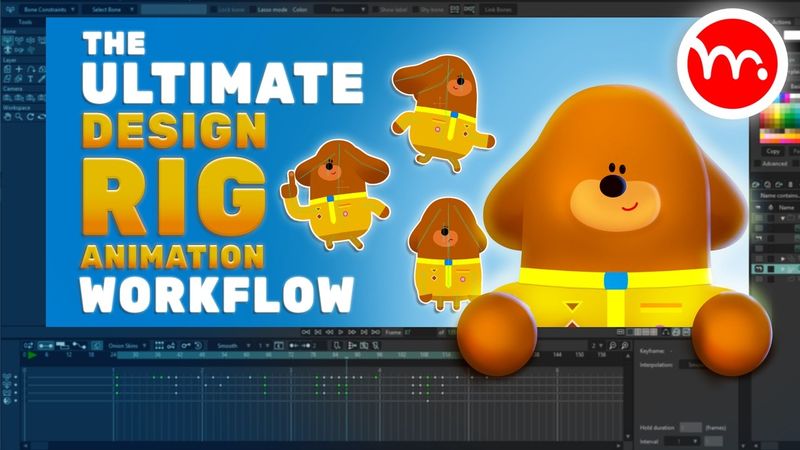
Moho Tutorial: Design, Rig & Animate a Full Character (Step-by-Step Guide)

Download information and video details for Moho Tutorial: Design, Rig & Animate a Full Character (Step-by-Step Guide)
Uploader:
McCoy Buck | Moho Animation TutorialsPublished at:
3/13/2025Views:
15.1KDescription:
Moho Tutorial: Design, Rig & Animate a Full Character (Step-by-Step Guide) Want to learn how to design, rig, and animate a complete character in Moho from start to finish? This step-by-step tutorial walks you through my entire Moho Pro workflow — the same process I’ve used in real client projects over 10+ years. Whether you're a beginner or transitioning from another animation software, this video will help you build a TV-quality character rig using Moho’s most powerful tools — all in one video. Downloadable Project File: You'll discover: ✔️ How I design characters with perfect symmetry and minimal extra work ✔️ Why I use strokes instead of shapes for limbs ✔️ My full rigging approach, including Vitruvian bones, flexi-binding/ link bones, and smart bones ✔️ How to animate a TV quality character animation 🚀 Want to work with me? Get 1-on-1 mentorship: 🎥 Getting started in Moho Playlists: Simple Character Rigging: Moho Animation Tutorials: Chapter Timestamps: 0:00 – Introduction and overview 1:00 – Character design workflow in Moho 1:07 – Symmetrical design and balance 1:13 – Blending shapes for complex designs 1:19 – Stroke vs. shape-based limb design 8:55 – Using liquid shapes to refine designs efficiently 16:00 – Creating arms and legs using strokes 22:45 – Complete rigging workflow overview 22:52 – Making all points visible while adding bones 22:58 – Setting up a Vitruvian bone for dynamic poses 23:06 – Link bone binding method for flexible animation 23:11 – Testing rigs without using frame zero 23:17 – Adding smart bone dials for body turns, tilts, and facial movement 25:26 – Fixing asymmetric bones for perfect rigging 41:04 – Converting bones into Vitruvian bones 43:14 – Creating smart bone dials for body movement 47:17 – Fixing gradient issues with color points 1:04:15 – Overview of animation process 1:05:04 – Setting up workspace for animation 1:06:09 – Freezing initial poses 1:07:22 – Establishing key storytelling poses 1:10:05 – Adjusting timing and spacing for natural movement 1:12:11 – Adding anticipation and secondary motion 1:16:07 – Refining ease in/out for smoother transitions 1:19:47 – Overlapping motion adjustments 1:20:21 – Adding overshoot and follow-through 1:23:32 – Offsetting body movements for realism 1:25:01 – Tweaking shoulder and limb animations 1:28:29 – Adjusting leg movement for better grounding 1:32:21 – Fine-tuning facial expressions and eye blinks 1:36:27 – Adding foot movement for weight shifts 1:40:08 – Refining root bone motion for proper weight distribution 1:44:02 – Overlapping ear animation for realism 1:48:01 – Using the motion graph to adjust spacing 1:54:25 – Final pass and subtle animation refinements 2:00:00 - Adding smears with frame by frame 2:04:03 - Changing animation from 1s to 2s 💬 Have questions or suggestions? Drop them in the comments, and I'll answer them! 👍 Enjoyed this video? Like & Subscribe for more Moho animation tutorials!
Similar videos: Moho Tutorial

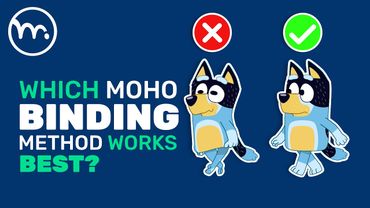
Best Binding Method for Moho Rigs? The Answer Might Surprise You! | Moho Animation Tutorial

Mastering Character Rigging in After Effects with Duik Bassel: Step-by-Step Tutorial!

آموزش ایلوستریتور: تصویرسازی و طراحی با Paint Brush Tool (درس ۲۷ - صفر تا صد ایلوستریتور)
How to Create a Stunning Newspaper Transition in After Effects | Full Tutorial + Free Project File!
Create AMAZING 3D Elements For Reels In Just 5 Minutes