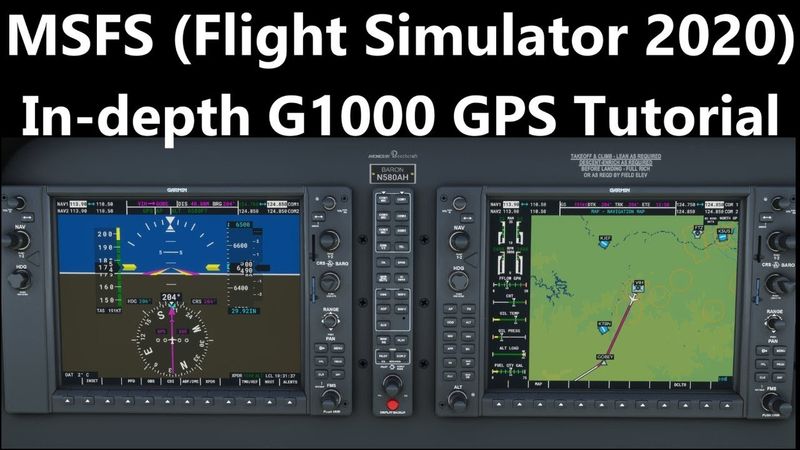
MSFS - Garmin G1000 GPS (AH In depth G1000 tutorial part 3)

Download information and video details for MSFS - Garmin G1000 GPS (AH In depth G1000 tutorial part 3)
Uploader:
Alpha Hotel Flight Simulator TrainingPublished at:
7/8/2022Views:
27.3KDescription:
Welcome back to Alpha Hotel Flight Simulator Training! This video is part 3 of our in-depth tutorial series on the G1000 Panel in MSFS. In this video, we'll focus on learning to use the GPS in the stock/default G1000 panel. For part 1 of this series, focusing on the basic functions and features of the G1000 follow this link: For Part 2 of this series, which focuses on using the G1000 autopilot, follow this link: For an overview of how a GPS receiver works, check out my video on the GNS 530 and 430 series at the following link: As always, if you've enjoyed the content, don't forget to like, subscribe to the channel, and ring the notification bell. Make sure to check out the rest of the channel for more MSFS training content! All charts used in this video are available at SkyVector.com Chapters: 00:00 - Intro 02:06 - G1000 GPS features 03:45 - GPS controls 07:06 - GPS data display 10:43 - Direct Function 14:15 - MSFS flight planner 23:06 - Flight plan manual load 25:52 - Editing a flight plan 32:33 - Complex flight plans 35:51 - Loading a SID 39:29 - Loading a STAR 40:58 - Loading an approach 49:42 - Approach glidepath 52:46 - Coupling approaches
Similar videos: Garmin G

MSFS Garmin G1000 Autopilot Tutorial (AH In-Depth G1000 tutorial, part 2)
VLOOKUP in Excel | Step-by-Step Tutorial for Beginners
Part 7: Prediction Sense | "Alien: Isolation" Smart AI in UE5

How the TCP/IP Model Actually Works | CCNA Day 3

Building LLMs from the Ground Up: A 3-hour Coding Workshop