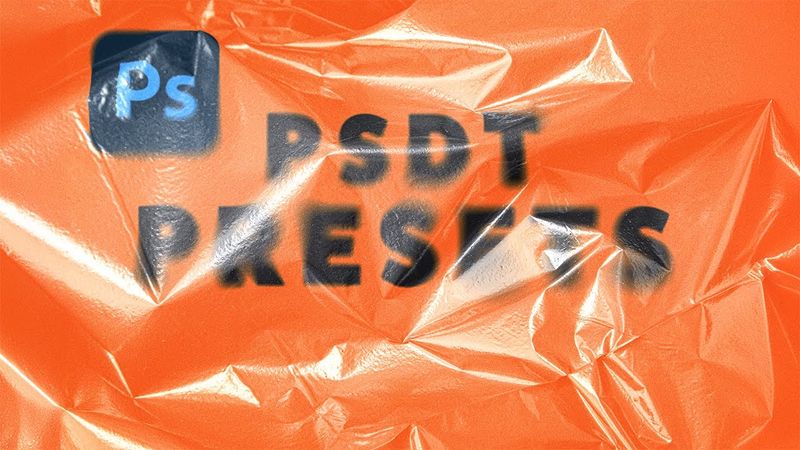
PSDT: Photoshop’s Most Underrated Presets!

Download information and video details for PSDT: Photoshop’s Most Underrated Presets!
Uploader:
PiXimperfectPublished at:
5/20/2025Views:
3.3KDescription:
Discover how you can create incredibly advanced Photoshop presets using the PSDT format! 🚀 Join PiXimperfect Pro - The Ultimate Photoshop Training Course: In this video, we’ll dive into what PSDT actually is, walk through creating a stunning plastic texture effect from scratch, and turn it into a fully customizable preset using the PSDT format. You’ll learn how to work with Smart Objects for flexible placeholders, apply Smart Filters non-destructively, and blend everything together with powerful blending mode techniques. Whether you're designing effects for reuse or building templates for your workflow, this technique can save you tons of time while keeping things creative. I hope this video helps you. Thank you so much for watching :) ► TIMESTAMPS: 00:00 Intro 00:21 Creating the Overlay 04:57 Advanced Blur Effect 06:04 Displacement Map 06:58 Finishing Touches 09:19 Creating the PSDT Template ► RECOMMENDED SOFTWARE & CREATIVE RESOURCES: ✅ Official PiXimperfect Compositing Plugin: ✅ The Best A.I. Powered High-End Portrait Retouching Plugins: ✅ Unlimited Photoshop Actions, Plugins, Brushes, Assets, etc: ✅ The Best Professional Plugin for Color Grading: ✅ The Best Professional Plugin for Skin Tones: ✅ Best Plugin for Landscape & Astrophotography: ✅ Try Photoshop for Free: ✅ Music Used in PiXimperfect Videos: ► THE GEAR I USE: ✅ My Graphic Tablet: ✅ Recommended Budget Tablet: ✅ Primary Microphone: ✅ Budget Microphone: ✅ Audio Interface: ✅ Camera: ✅ Lens: ► DOWNLOADS: 1. Sample Texture: 2. Finished PSD: (Only for PiXimperfect Pro Members) ► LET'S CONNECT: Instagram: Facebook: Twitter:
Similar videos: Photoshop

5 Photoshop Tricks to Improve Any Portrait FAST!

Reel Editing Breakdown 2025 | Re-Editing Kallaway’s Video into Viral Reels

Viral Horizontal Reel Editing 2026 | Premiere Pro Tutorial
Photoshop’s Remove Tool is BROKEN! What Now?
From Raw to Viral Reels in 30 Minutes | Premiere Pro Tutorial for Beginners