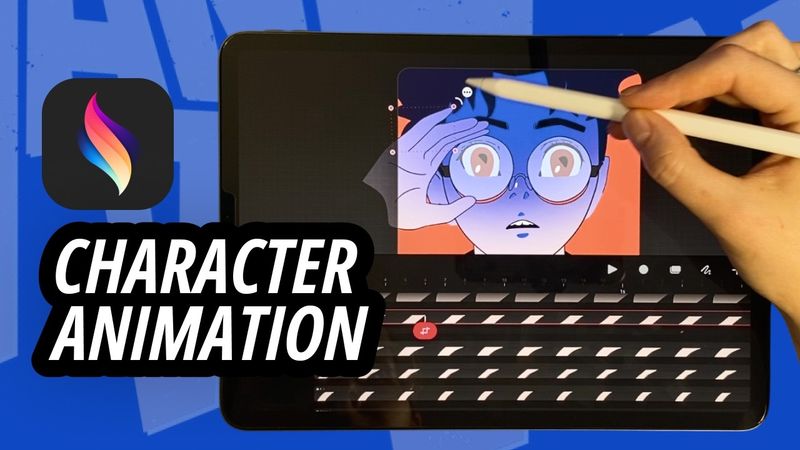
Step-by-Step Character Animation: Blinking Eyes & Dynamic Glasses Gleam in Procreate Dreams!

Download information and video details for Step-by-Step Character Animation: Blinking Eyes & Dynamic Glasses Gleam in Procreate Dreams!
Uploader:
Shake my artPublished at:
4/28/2025Views:
1.2KDescription:
Step-by-Step Character Animation: Blinking Eyes & Dynamic Glasses Gleam in Procreate Dreams Welcome to a detailed frame-by-frame animation tutorial using Procreate Dreams on iPad! In this video, I take you through the entire process of animating one of the main anime characters from Dandadan. I start by breaking down the illustration into its core components—eyes, glasses, head, and hand—so you know exactly how to prepare your artwork for animation. Then, we dive into animating realistic eye blinks and adding a dynamic glare effect on the glasses. Finally, I show you how to move all the elements together to create smooth, natural motion. What you’ll learn: How to break down your character illustration for animation Frame-by-frame techniques for natural eye blinking Creating a dynamic glare on glasses using Procreate Dreams Tips for animating multiple elements seamlessly Whether you're a beginner or a seasoned animator, this step-by-step guide will help you bring your characters to life with precision and creativity. Timecodes: 0:00 – Introduction 0:24 – Illustration Breakdown 2:45 – Animating Eye Blinks 8:18 — Preview 8:28 – Animation of all the parts 13:48 — Preview 13:55 — Dynamic Glasses Gleam 17:16 – Final result If you enjoyed this tutorial, please hit the like button, leave a comment, and subscribe for more in-depth animation tutorials! #ProcreateDreams #AnimeAnimation #FrameByFrame #CharacterAnimation #iPadAnimation
Similar videos: Step Character Animation

How to Turn ANY Logo into 3D in DaVinci Resolve – Easy Tutorial! (Step-by-Step)
Making spruce tip soap 🌲 Naturally colored cold process soap making
How to Master 3D Camera in After Effects | Complete Breakdown
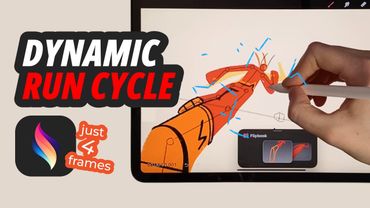
4 Frames, Infinite Speed: Flash’s Frame-by-Frame Run Animation in Procreate Dreams!
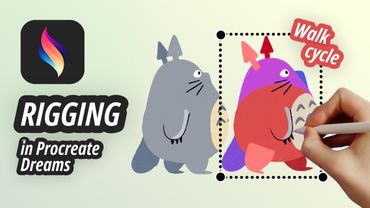
Procreate Dreams Animation: Totoro Walk Cycle with Rigging Techniques!