The Complete Linux Course: Beginner to Power User!

Download information and video details for The Complete Linux Course: Beginner to Power User!
Uploader:
Joseph DelgadilloPublished at:
1/17/2017Views:
3.9MDescription:
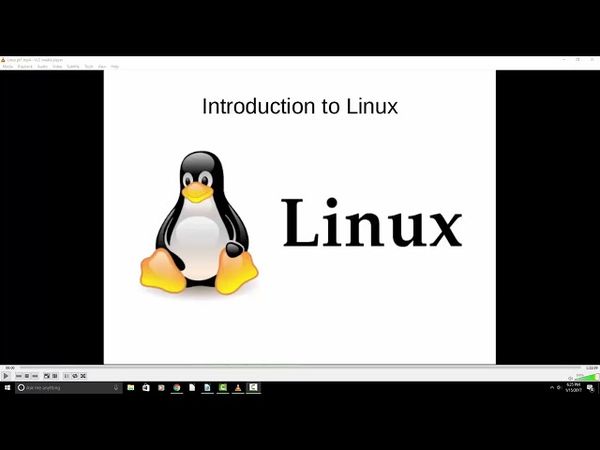
This 7+ hour Ubuntu Linux tutorial takes viewers from beginner to power user with comprehensive coverage of installation, command line, administrative privileges, app development, server hosting, GitHub, and more. It covers setting up a virtual machine with VirtualBox, dual‑booting Ubuntu alongside Windows, and customizing the desktop environment. Viewers learn package management, file permissions, process monitoring, system services, and scheduling tasks, as well as setting up IDEs like Eclipse and PyCharm, version control workflows, web server configuration with Apache, MySQL, and PHP, and deploying a Meteor app. The course also includes networking fundamentals, SSH/SFTP remote access, and an introduction to the Linux manual pages. Time-stamps 00:00 Introduction to Linux 08:44 Linux distributions explained 15:56 Installing VirtualBox and setting up our virtual machine 23:47 Ubuntu Linux installation on a virtual machine 36:26 Disabling the ISO and first boot up 38:40 VirtualBox guest additions for a better user experience 46:14 Customizing our Ubuntu desktop 54:41 Unity Tweak Tool for Ubuntu 1:06:48 Installing Ubuntu alongside Windows (dual boot) 1:23:09 Linux command line essentials 1:36:17 Administrative privileges in terminal 1:42:14 Using the package manager (apt-get) to install new applications 1:46:17 Searching through the repositories to find new apps 1:48:23 Installing packages that are not in the repository 1:53:09 Keeping programs updated in Linux 1:57:48 File permissions and ownership explained 2:10:26 How to create files using the command line interface (CLI) 2:15:24 Creating new directories and moving files 2:19:59 Copying, renaming, and removing files 2:24:43 The FIND command and its practical uses 2:36:10 GREP command explained 2:39:10 Using GREP in conjunction with FIND 2:42:26 Redirecting the output of a command 2:45:42 The TOP command and its uses 2:47:01 How to view the entire list of processes and closing applications 2:52:36 Services explained 2:54:44 Configuring services using the command line 2:59:20 Using CRONTABS to schedule tasks 3:04:56 Choosing an integrated development environment (IDE) 3:08:29 Eclipse installation and setup 3:12:26 PyCharm installation and setup 3:18:51 Introduction to GitHub, installation, and repository setup 3:23:06 How to push/pull information from a repository 3:29:13 How to remove/ignore directories in our repository 3:34:25 Resolving merge conflicts through terminal 3:41:42 How to setup and manage branches 3:49:37 Meteor installation & setup 3:55:32 Meteor project setup 4:01:06 Router setup with React components 4:13:31 Getting into the programming 4:26:46 Rendering our blog posts 4:42:06 Apache 2, PHP 5, and MySQL setup 4:45:36 Server configuration 4:51:14 Linux hosts file explained 4:54:40 Deploying our Meteor app to an Apache 2 server 5:00:03 MongoDB NoSQL database 5:05:21 Virtual host setup 5:16:46 phpMyAdmin setup 5:24:50 Creating a basic virtual host 5:33:00 Wordpress installation on top of our Apache 2 environment 5:40:25 Database setup 5:46:48 Python installation and CLI 5:57:35 Adding/removing users through GUI 6:01:09 Adding/removing users through CLI 6:06:55 Adding users to a group 6:10:51 Introduction to networking 6:17:41 Local area network (LAN) explained 6:25:08 Networking commands 6:35:40 NETSTAT command 6:40:39 Linux host file 6:49:59 TRACEROUTE commands 6:53:57 Network mapping explained 7:08:29 Using SSH to access the command line of a remote host 7:11:06 Using SFTP to transfer files between machines 7:14:43 Setting up SSH on our local machine 7:20:10 MAN command explained
Similar videos: The Complete Linux Course
How To Install Arch Linux in VirtualBox (2023) | Arch Linux Installation
Docker Tutorial for Beginners

Linux Crash course EP3 | دوره آموزشی آشنایی با لینوکس (دستورهای پرکاربرد، کار با فایل ، نصب برنامه)
دوره جامع آموزش لینوکس از صفر تا پیشرفته فقط در ۴ ساعت (مقدماتی تا حرفهای)
Linux+ (XK0-005 - 2024) Command Line Labs Pt.1 | Linux+ Training