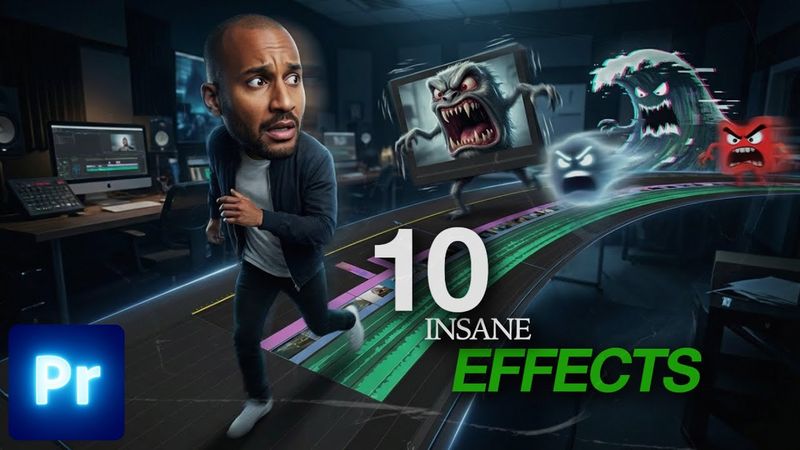
These 10 Premiere Pro Effects Will Level Up Your Edits

Download information and video details for These 10 Premiere Pro Effects Will Level Up Your Edits
Uploader:
Anthony MediazPublished at:
12/21/2025Views:
69Description:
Learn how to make 10 easy effects every beginner can do in this Premiere Pro video editing tutorial. This guide offers essential editing tips and shows you how to apply these effects to your clips, perfect for anyone looking to improve their video editing skills. Whether you're a new video editor or just starting out, this video editing for beginners tutorial will help you learn how to edit like a pro. ✨ Effects included: 1. Split Screen 2. Flicker Effect 3. Film Burn 4. Fisheye Look 5. Glow Effect 6. Rapid Shutter Effect 7. Speed Ramp 8. Text Inside Video 9. Flash Transition 10. VHS Transition 📍 What you’ll learn: • How to create clean, modern effects in Premiere Pro • How to animate transitions and stylize footage • Easy tricks to make your edits look professional instantly 💡 Perfect for: Beginners, creators, editors, and anyone who wants to level up their Premiere Pro skills quickly. Downloads: 📦 Drag & Drop Presets 👉 🎁 Free Presets here (Film Burns) 👉 🎁 Split Screens 👉 🎁 VHS Transition: 👉 Don’t forget to subscribe for daily Premiere Pro tutorials! 🎙️ The voice in this video is AI-generated. Timecode: 00:00 - Intro 00:05 - 1. Split Screen 01:45 - 2. Flicker Effect 02:25 - 3. Film Burns 03:40 - 4. FishEye Look 05:38 - 5. Glow Effect 06:22 - 6. Rapid Shutter Effect 08:11 - 7. Speed Ramps 11:38 - 8. Text Inside a Video 12:34 - 9. Flash Effect 13:28 - 10. VHS Effect
Similar videos: These

Premiere Pro Reels Editing Breakdown 🔥 Learn Viral Animation + Captions + Effects in 1 Hour!
Viral Horizontal Reel Editing 2026 | Premiere Pro Tutorial

How to edit Viral Reels in Premiere Pro | Live Reel Editing
12 Amazing Premiere Pro Text Effects | Ultimate Tutorial for Beginners!
Premiere Pro 2025 Just Got Way Cooler!