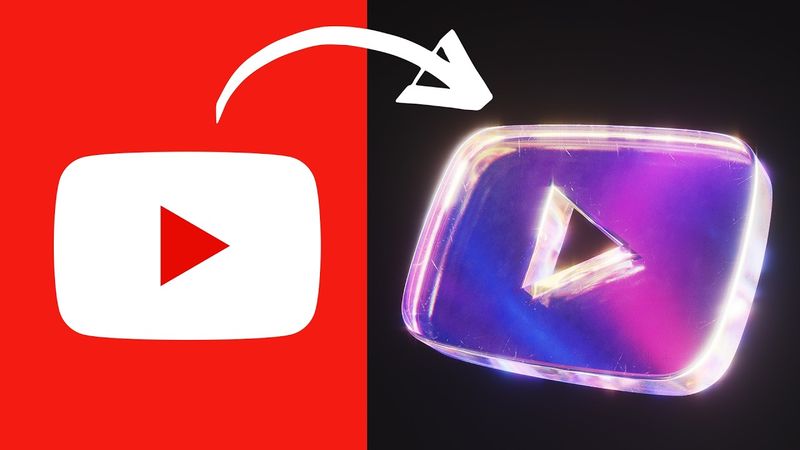
Turn ANY 2D Logo into Iridescent Glass in Blender – For Beginners!

Download information and video details for Turn ANY 2D Logo into Iridescent Glass in Blender – For Beginners!
Uploader:
SouthernShottyPublished at:
5/15/2025Views:
14.5KDescription:
CRAFTY ASSET PACK 25% OFF COUPON: RGBGLASS25 Free Files: Original Artist Link: 👇My Products (affiliate links)👇 Dynamic VFX Pack (Free Sample Pack): Crafty Asset Pack (Free Sample Pack): Patreon: Skillshare: ----------------------------------------------------------------------------------------------------------- Tag me in your artwork on Instagram and Twitter @SouthernShotty Instagram: Twitter: ----------------------------------------------------------------------------------------------------------- Turn flat 2D images into stunning iridescent glass art — all inside Blender, and all beginner-friendly! In this step-by-step tutorial, you'll learn how to transform any image or logo into a sleek, shiny glass object with rainbow-like reflections using only Blender’s built-in tools. Whether you're designing motion graphics, UI elements, or just looking to level up your materials game, this tutorial gives you everything you need to create eye-catching results — no prior experience required. Intro 0:00 Modeling a Logo 0:30 RGB Glass Shader 2:52 Lighting & Compositing 7:00 #Blender3D #IridescentGlass #BlenderTutorial
Similar videos: Turn ANY

Easy Manipulation in Photoshop

Beginner-to-Pro Fashion Lighting Techniques for Dramatic Portraits with Samuel Bouret

01 - Product Poster Design | Product Manipulation in Photoshop

Create Cinematic videos in Minutes | Higgsfield Cinema Studio

Runway’s “EXPAND VIDEO” Feature Changes the Game (Again)