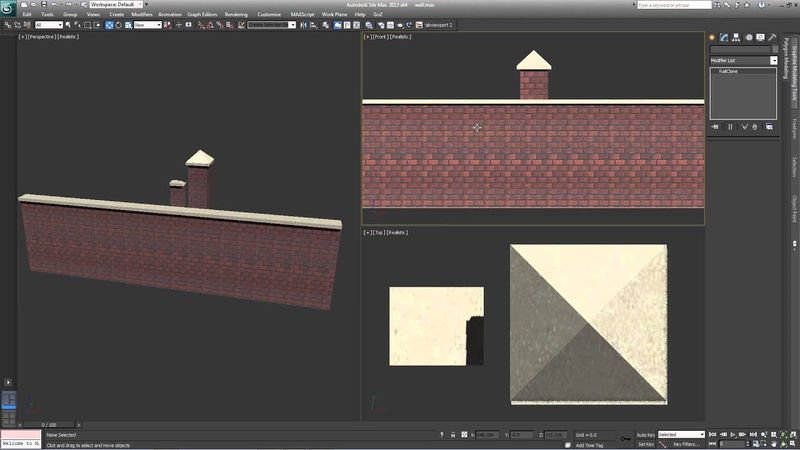
TUTORIAL: Creating a masonry wall with RailClone and 3ds Max (beginner)

Download information and video details for TUTORIAL: Creating a masonry wall with RailClone and 3ds Max (beginner)
Uploader:
ITOOSOFTPublished at:
4/22/2013Views:
22.5KDescription:
This tutorial is intended for new users of RailClone and provides a thorough introduction to some of the most commonly used features. By completing this exercise you will be able to use the built-in library, understand the style editor, and easily create new styles Read a written version of this tutorial and download scene files from the iToo Software website: Free lite versions of our plugins are available that never expire, can be used commercially and include nearly all of the powerful features found in the Pro version! Find out more by following the links below Forest Pack: RailClone: #railclone #3dsmax #itoosoft
Similar videos: TUTORIAL

How to create parametric Railings with 3ds Max

TUTORIAL: Creating track lighting with RailClone in 3ds Max (intermediate)
3ds Max Pro Tip: Mastering Macros in RailClone 6
TUTORIAL: Modelling parameterised windows with RailClone in 3ds Max (advanced)
QUICK TIP: Making a Picket fence with RailClone in 3ds Max (beginner)