UNLIMITED FREE AI Video Generator | Wan2 1 and Google Colab Text to Video & Image to Video
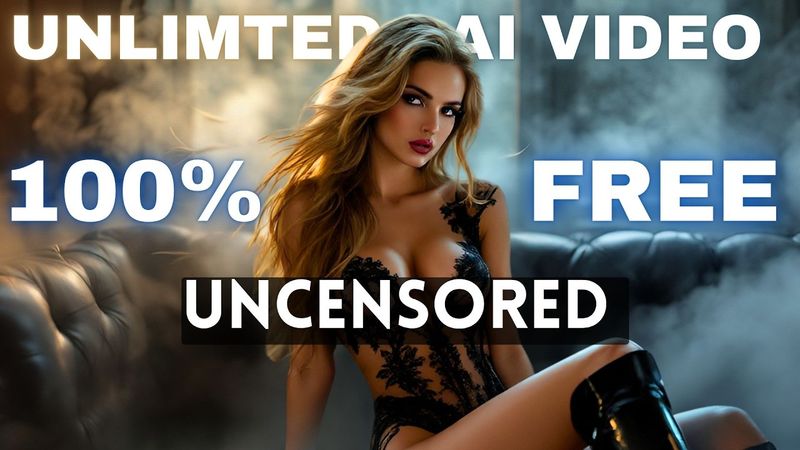
Download information and video details for UNLIMITED FREE AI Video Generator | Wan2 1 and Google Colab Text to Video & Image to Video
Uploader:
AI NinjaPublished at:
5/13/2025Views:
18.7KDescription:
Video Transcription
All of these video clips are generated by an AI video generator called One V2.
This is a free and open-source text-to-video and image-to-video generator tool.
And look at the quality of the video.
They are just amazing.
And most importantly, it's uncensored.
You can download the model and install it on your system to generate unlimited video clips offline.
But there is a catch.
You need a high-configured PC with a decent graphics card.
And not everyone has access to a PC like this.
Don't worry.
Today, I'm going to share the easiest way to use WAN 2 and generate unlimited video clips.
So, without further ado, let's dive in.
Okay, today we will use Google Colab to run the WAN2 video generator model.
For those who don't know about Google Colab yet, it's a cloud-based service that lets you write and execute Python code in your browser.
It's a free, hosted version of a Jupyter notebook, meaning you can work with Python code and combine it with text, images, and other media without needing to install anything locally.
I will put the ready-to-use note or repo of WAN 2 in the description box.
Just grab the link, and you will be on this page.
This is the WAN 2 text-to-video generator notebook.
You may find it very complicated.
Well, it's not.
I'm going to share the step-by-step method of generating the video.
First of all, we have to connect the notebook to the server.
To do that, click on the Connect button from here.
Once the notebook is connected to the server, go to the Prepare Environment setting.
Here you will notice a long Python code.
You have nothing to do with this code.
Just click on the play icon from here to run the repo.
It will take some time.
Once done, you will get a green checkmark like this.
Now we are ready to generate the video.
Scroll down and find the Generate Video section.
Here, first of all, we have to enter the text prompt.
Simply type what you want in your video.
For example, I am typing, A stunning confident girl wearing a casual summer dress walking on a sea beach.
After entering the positive prompt, you can add negative prompts here in this box.
You can notice some negative prompts in the Chinese language.
I am going to use the default prompts.
Next, we have to set the aspect ratio.
I will generate a landscape video in 720p resolution.
So, I am entering 1280 as the width value and 720 as the height value.
Next, you can set a fixed seed number after that you will find step settings, CFG scales, sampler name, and scheduler settings.
After that we have frames, this is important.
Here, you have to mention how many frames you want to generate.
Set the value as per your need.
After that, set the FPS or frames per second.
The higher value will make the video smoother but decrease its length.
So set the frames and FPS value as per your quality and length requirement.
In the end, you can set the output format.
Let's keep it MP4.
Once everything is set, click on the play icon from here.
And here it is.
WAN 2 starts generating the video.
It will take some time.
Actually, it will take a long time.
This is the only negative point I found about this tool.
However, as it is free, we can definitely wait some time.
So, grab a cup of coffee or do other tasks.
Don't interfere with the workflow.
Alright, our video clip is ready, now let's have a look at it.
And here is the output.
Wow, the result is absolutely stunning.
As you can see, this video doesn't have any weird morphing or distortion.
The character and the scene are very consistent.
I love the result.
Okay, now let's generate another video clip.
This time I will try to generate a bold video as it is uncensored.
I am entering the positive prompt.
After entering the prompt, set all other settings, and then click on the play icon from here to generate the video.
And then wait for some time.
And our video is ready.
This is just amazing.
So you can create this kind of uncensored video clip using WAN2.
While you can't do it using any other popular AI video generator, if you want fun then you should use this tool.
Okay, this was the text-to-video generator.
What if you want to turn your image into a video?
To do that, we have to use another repo, the WAN2 image-to-video notebook.
You will find the link in the description box.
After coming to this page, like the text-to-video notebook, connect the notebook to the server.
Once it is connected, run the environment.
once the process is completed come to the generate section like the previous one we have to enter the prompt here in this box for example i want to bring life to this image so i am typing the woman drinking juice after entering the prompt set all other settings and then hit the play button
The video generator will run.
After a short time, you will find the options to upload the image you want to turn into a video.
I am uploading the image.
Once the image is uploaded, it will start working automatically.
And after waiting some time I got this result.
And look at the quality.
This is quite a decent video.
There are some issues with the prompt adherence but we can accept this.
However, I think the text-to-video AI model gives better results.
In conclusion, now you have a completely free AI video generator that can generate unlimited amazing and uncensored videos without any restriction.
The only issue is that it takes a lot of time to generate the video.
However, we can understand some limitations.
If you are an AI enthusiast or content creator, you should try this tool.
The link will be in the description.
Alright friends, I will wrap up our video now.
Before that, I would love to hear your opinion about the WAN2 text-to-video and image-to-video generator model.
Share your thoughts and results in the comment section below.
Don't forget to like this video if you found it helpful, and subscribe to our channel for more amazing tutorials like this one.
Thank you so much for watching, and until next time, happy creating!
Similar videos: UNLIMITED FREE AI Video Generator

How to Make Viral 1950's Super Panavision 70 Videos - Full Tutorial

DUNE - 1950's Super Panavision 70
AVENGERS - 1950's Super Panavision 70

THE TERMINATOR - 1950's Super Panavision 70
FROZEN - Trailer | 1950's Super Panavision 70 Retro AI Concept