Why CPU GHz Doesn’t Matter!
Download information and video details for Why CPU GHz Doesn’t Matter!
Uploader:
Linus Tech TipsPublished at:
9/27/2021Views:
3.4MDescription:
Video Transcription
How can this be faster than this when it should clearly be the other way around?
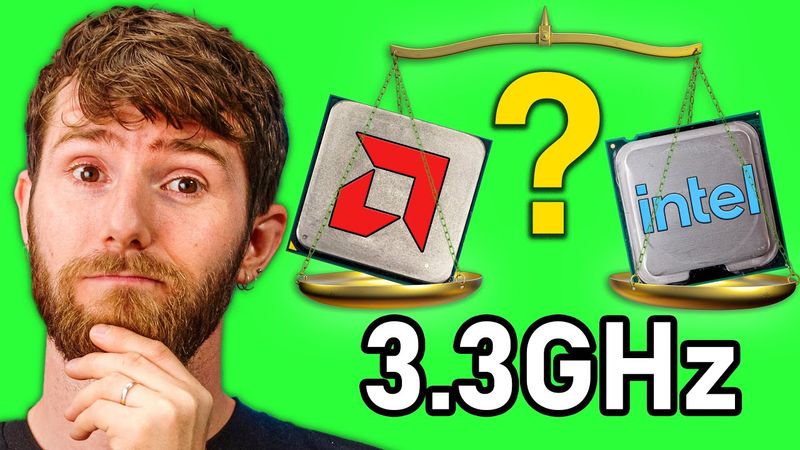
For years, I've been reading comments from people who believe that the faster the gigahertz, the faster the CPU.
And why shouldn't they believe that?
Gigahertz, also referred to as clock speed or frequency, is quite literally a measure of how fast the transistors in a processor switch.
So all else being equal, more gigahertz should be more better.
but all else is not equal.
And in today's video, we're gonna dive into what those unequal things are and just how unequal they can be.
We're also gonna dive into today's sponsor, Arazi.
Thanks Arazi for sponsoring this video.
Arazi's new Okio webcams are privacy focused so you can be seen and heard only when you wanna be.
Get your Okio webcam with or without a ring light at the link down below.
To make sure that our test is as fair as possible, both of our CPUs used identical test benches.
Asus TUF B550 Plus motherboards, Noctua NHD 14 coolers, 16 gigs of dual channel, 3,600 megahertz C14 memory, a Crucial P5 NVMe SSD, and an RTX 3060 XC from EVGA.
We're gonna have all these parts in our affiliate links down below.
Well, most of them GPUs can kind of be hard to find.
Now for the CPUs.
To keep politics out of the conversation, we're gonna be using only AMD branded processors, but these principles can be applied to any other situation where CPUs are being compared.
Naturally, we started with a full run of our benchmark suite at out of the box speeds.
So we can see how the higher gigahertz 3600 XT fared against the 5600X.
Remember that both of these CPUs have exactly the same number of cores and threads.
Somewhat intuitively, the newer processor does outperform the older one, and sometimes by a considerable margin.
But why?
Well, many modern processors are capable of dynamically boosting their clock speed under favorable conditions.
Say for example, when they have a really good cooler installed.
Maybe our 5600X is just a mad CPU frequency boosting machine.
Let's try reining it in.
and seeing what happens then.
At our locked clock speed of 3.4 gigahertz, the 5600 XT still wins in every single test.
So clearly then, gigahertz is not the only determining factor for CPU performance.
But these numbers aren't enough to tell the whole story.
Let's look at gaming.
If I only measured average FPS in Shadow of the Tomb Raider and Grand Theft Auto V,
I might think that a 5600X is only about 5% faster than a 3600XT in the real world.
But take something more CPU bound like CSGO and these two CPUs with the same core counts running at the same frequencies are nowhere near each other.
But then dropping the clock frequency even further to 2.4 gigahertz, it's clear that the lower the clock goes, the slower our CPUs get.
So what is it?
Does gigahertz matter or not?
There are a couple of takeaways here, starting with that, yes, gigahertz absolutely matters, which raises the question then, why don't CPU manufacturers just run their chips at higher clock speeds?
I mean, bring on the 10 gigahertz CPUs, am I right?
Well, that was the plan actually, but higher clock speeds come at the cost of more power consumption, which tends to result in hotter running chips.
Thankfully though, there are a lot of other levers that CPU designers can pull to improve performance, which leads us to our second takeaway.
CPUs, or any kind of processor for that matter, GPUs, phone SOCs, anything,
should never be compared using gigahertz alone.
It is clearly an important spec and manufacturers do need to disclose it because it enables us to compare products within their own families.
But if you wanna talk about an M1 Mac versus an Intel Mac or an AMD GPU versus an Nvidia one, don't even bring it up.
You would only be revealing your ignorance on the subject.
Let's talk then about some of the ways a CPU can differ aside from gigahertz.
An obvious one is that they can be designed to process more threads or tasks in parallel.
Intel was the first to process two concurrent threads on a consumer chip with hyper-threading or SMT, while AMD was the first to build a truly multi-core CPU with their X2 series dual cores that were capable of doing nearly double the work under ideal conditions.
The only drawback to additional cores is that they increase die size,
meaning cost and power consumption, and they can't be used to accelerate single threaded workloads.
So in many consumer applications like games, they're only helpful up to a point.
Currently AMD and Intel's mainstream lineups top out at 16 and eight cores respectively.
So we can't keep pushing core counts forever and expect consumer applications to scale.
And clock speeds have been locked in the same range for over 15 years.
Then what have they changed to really push forward single core performance?
The simple answer is IPC or instructions per clock.
If we think of a CPU like a mine, and each core like a miner running back and forth doing work, the clock speed is how many times our miner can run back and forth per second, while the IPC is how much they can carry on each load.
Look at the Apple M1, for example.
Joe average gamer might laugh at its meager 3.2 gigahertz clock speed, but when it comes to the real world, it performs pretty damn well.
like this sexy retro GPU t-shirt from lttstore.com.
What that tells us about it is that it has better IPC than a CPU that runs at a higher frequency, but performs the same.
The problem though is IPC sounds a lot simpler than it is.
You can't just add more instructions to each clock cycle.
Let's go back to our mind analogy.
The problem is that our mind contains
every single possible type of mineral or rock and let's say those represent different apps or programs and each of them requires specialized equipment so let's say you level up your miner by adding more points to their shovel and suddenly there's a boost to your coal gathering but sifting for gold well shovel doesn't help you with that so performance is entirely unaffected
That's how you can see a new generation of CPU come out that absolutely crushes Cinebench, but gets the same FPS in games.
So IPC is problematic.
Along with clock speeds and core counts, it's one of the most important ways to predict a processor's performance.
And yet, unlike those other attributes,
nobody can agree on a fair and objective way to measure it.
The way that we enthusiasts use the term, saying things like, this new CPU has 20% higher IPC than the old one, can be misleading.
A manufacturer could easily spend all their time tuning performance for a single commonly benchmarked program, like Geekbench or Cinebench, when that wouldn't be representative of the real world experience of using it.
Though AMD and Intel also throw the term around in this way when it suits them, so...
I blame them.
Now there are major CPU design factors that can cripple the real world performance of a high IPC CPU that's tuned for a particular benchmark.
Let's talk about waste.
Going back to our mine analogy, adding cash to a CPU is kind of like making easy piles of our minerals or data that can be shoveled and carted out of the mine more quickly.
The bigger the pile, the more likely it is that you can just fill up your wheelbarrow and off you go.
On the other hand, if there's nothing in the pile, the miner has to go deeper into the mine or to the system memory to retrieve it.
That's gonna take longer.
Then there's the branch predictor.
It is kind of like mine supervisors who attempt to proactively communicate which minerals are going to be needed in the near future, rather than just having the miners wait around for an order.
CPU designers can dramatically improve performance with accurate branch prediction, but the logic for it takes up space on the CPU that could also just be used to add more miners.
So it ends up being a delicate balancing act.
Speaking of the physical layout of the course, imagine if our miner parked their wheelbarrow right next to the mineral heap instead of five steps away and carried it like that.
CPU designers are always looking for ways to make each load more efficient and sometimes the actual physical proximity of CPU elements can be a big difference maker.
So an obvious solution to this problem then is to stop using gigahertz, stop using IPC, and rather use a broad industry standard set of real world tests.
The problem with that is if we're looking at real world benchmarks, we end up with real world messiness, including politics between competing brands who would each
naturally, prefer tests that favor their own products.
This is why to this day, we still need reviewers, lots of them, so that you can see a wide variety of different methodologies and test suites and how the product that you're considering stacks up.
and so that you can learn about sponsors like NordPass.
NordPass wants to help you keep your private information safe.
The NordPass password manager stores your passwords in a single place and recognizes your favorite website so it can automatically fill in your login details.
You can create new complex and secure passwords with the built-in password generator and then access those credentials on any device, even when you're offline.
They offer
unlimited password, note, and credit card storage, and NordPass Premium starts at just $2.50 a month.
It comes with additional features like password health reports, data breach alerts, and up to six active devices.
For NordPass' back-to-school sale for a limited time, you can get 74% off a two-year NordPass Premium plan with an extra four months for free.
So start protecting your passwords today at nordpass.com slash Linus, and use code Linus.
As always, thanks for listening, folks.
I hope it helps you make the right choice next time you're looking to upgrade.
If you enjoyed this video, hey, give a thumbs up and make sure to check out, is four core still enough?
You might be surprised by the results.
They're only helpful