Faster Corona Render Times

Faster Corona Render Times 视频的下载信息和详情
作者:
Corona ArchViz发布日期:
2025/12/3观看次数:
7.6K简介:
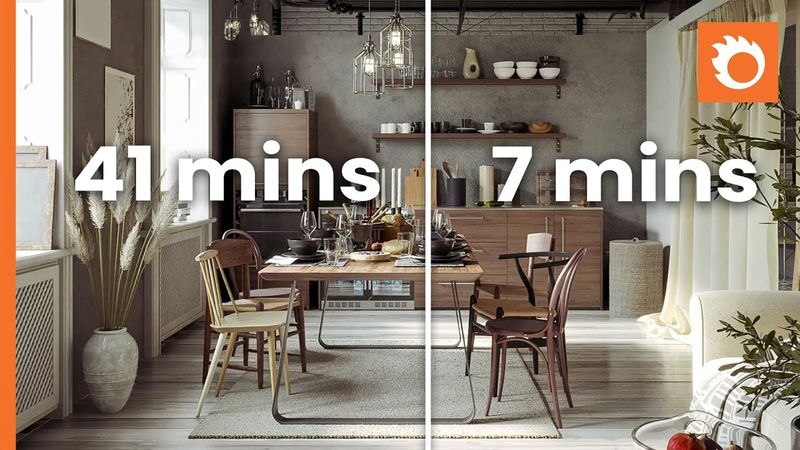
This video explores downscaling in Corona Renderer that can reduce your render times while maintaining high-quality results. Learn how to leverage the new 'Save 50%' feature in the VFB window, inspired by a technique demonstrated by RenderRam. By rendering your image at twice the final resolution and then downscaling, you can cut down on render time. This tutorial demonstrates how to optimize settings like the Noise Level and switch to the Intel AI Denoiser with an amount (0.85) for a crisp, fast render. We show a comparison where a 7-minute render using this method achieves a quality similar to a traditional 41-minute render, proving this workflow is nearly 6x faster! 00:00: Intro to Downscaling for Fast Renders 00:44: Setting Up the Render in 3ds Max 01:00: Denoiser Settings for Production Quality 01:42: Optimizing Progressive Render Limits 02:00: Adjusting the Image Filter to Tent 02:29: Using the New 'Save 50%' VFB Option 02:46: Time & Quality Comparison: 7 Min vs 41 Min 03:06: Detail Analysis & Reflection Tradeoffs 03:40: Balancing Noise Level for Best Detail
相似视频:Faster Corona Render Times

From Raw to Viral Reels in 30 Minutes | Premiere Pro Tutorial for Beginners

Corona Scatter Настройки в 3D MAX

These 10 Premiere Pro Effects Will Level Up Your Edits

Render Smarter in 3ds Max – Overnight Batch Render v1.5 Now Supports Render Elements

Effective NeoVim Setup for Full-Stack Web Development in 2024